Session Overview
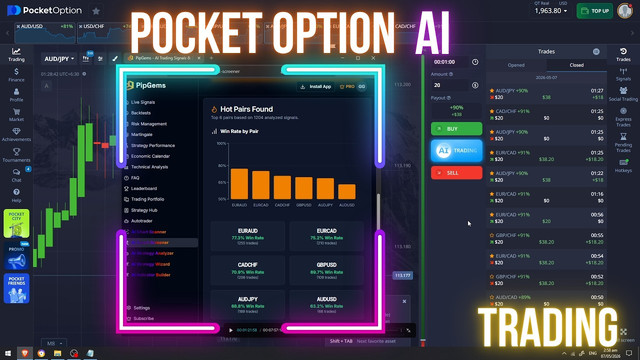
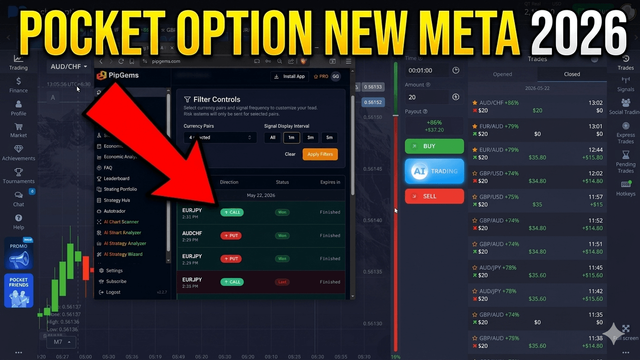
This is a live session on Pocket Option using the PipGems trading app to guide entries. Four currency pairs are active on screen — EUR/JPY, AUD/CHF, GBP/JPY, and EUR/AUD — selected because recent signal data shows they have been producing consistent outcomes under current market conditions.
The PipGems signals app is synced with these pairs to monitor live alerts. Based on recent signal history across these assets, roughly 60–75% of trades have been closing in a positive direction — a solid starting point for a filtered session. Individual results will vary depending on market conditions and the capital used.
Expanding the Watchlist
After loading the initial four pairs, EUR/USD and GBP/CAD are added to the watchlist for additional coverage. Feeding more pairs into the live signal stream increases the chance of catching a clean setup during quieter market periods.
After monitoring for several minutes with no signals on the filtered pairs, the filter is expanded to show all available signals on a 1-minute interval — opening up more potential setups across a wider range of assets.
Reading the Signals — Live Trade Examples
Signal 1 — NZD/USD (Skipped)
An upward signal appears on NZD/USD. However, after checking Pocket Option, that pair is not available on the platform at the time — so the signal is skipped and the session continues waiting for the next opportunity.
Signal 2 — GBP/CHF Down
A downward signal fires on GBP/CHF with a 41% return rate — on the lower side, but the chart setup looks interesting. The trend has been moving upward for an extended period, raising the possibility of a directional shift. A down trade is placed. The trade closes in a positive direction, with a result of +$28.
Signal 3 — AUD/CHF Down
A new alert comes in on AUD/CHF with a return rate of 86% — well above the preferred threshold. A down trade is placed. The trade closes as a win.
Signal 4 — CAD/JPY Down
A downward signal appears on CAD/JPY showing a 68% return rate. While the preferred threshold is 70% and above, the trade is taken. The PipGems app registers the outcome as a win, while the Pocket Option platform records a loss on this trade — a reminder that signal timing and platform availability can affect results differently.
Return Rate Filter — Why It Matters
A key part of this approach is using the return rate as a filter before placing any trade. Higher return rates mean a larger potential payout relative to the stake — which affects the overall session math significantly. The general guideline used here:
- 86%+ return — strong setup, worth taking
- 70–85% return — acceptable range
- Below 70% return — lower priority; only take with a strong chart reason
Following a return rate filter helps avoid low-value entries that require a higher win rate just to stay even. It does not remove risk — it only helps prioritize which signals are worth acting on.
Session Management Tips
- Wait for the signal to fully print before entering — late entries reduce the quality of the setup
- If a pair is not available on Pocket Option, skip the signal entirely
- Set a session loss limit and stop when it is reached — do not chase trades
- Use consistent trade sizes across every entry, not increasing size after a loss
- Keep a record of each signal: pair, direction, return rate, and outcome
Watch the Live Session
Watch the full PipGems live signal session on Pocket Option — including the GBP/CHF and AUD/CHF trades with real-time results.
Risk Disclaimer
This content is for educational purposes only. Trading involves significant risk and is not suitable for everyone. Past results shown in this session do not guarantee future outcomes. Always apply responsible money management and only trade with capital you can afford to lose.
#PocketOption #PipGems #TradingSignals #PocketOption2026 #LiveTrading #SignalTrading #BinaryOptions #ForexSignals #GBPCHF #AUDCHF #TradingEducation