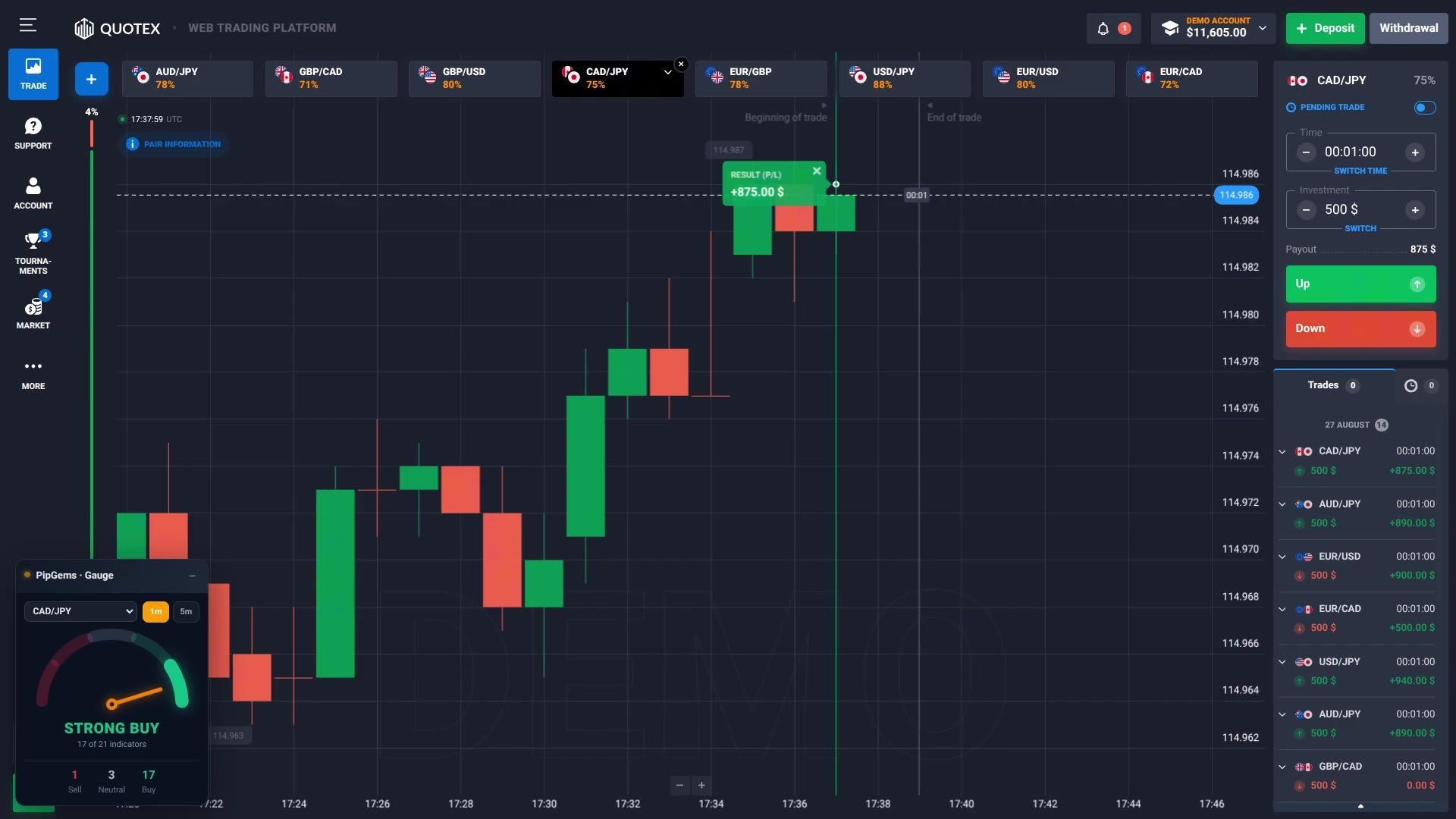
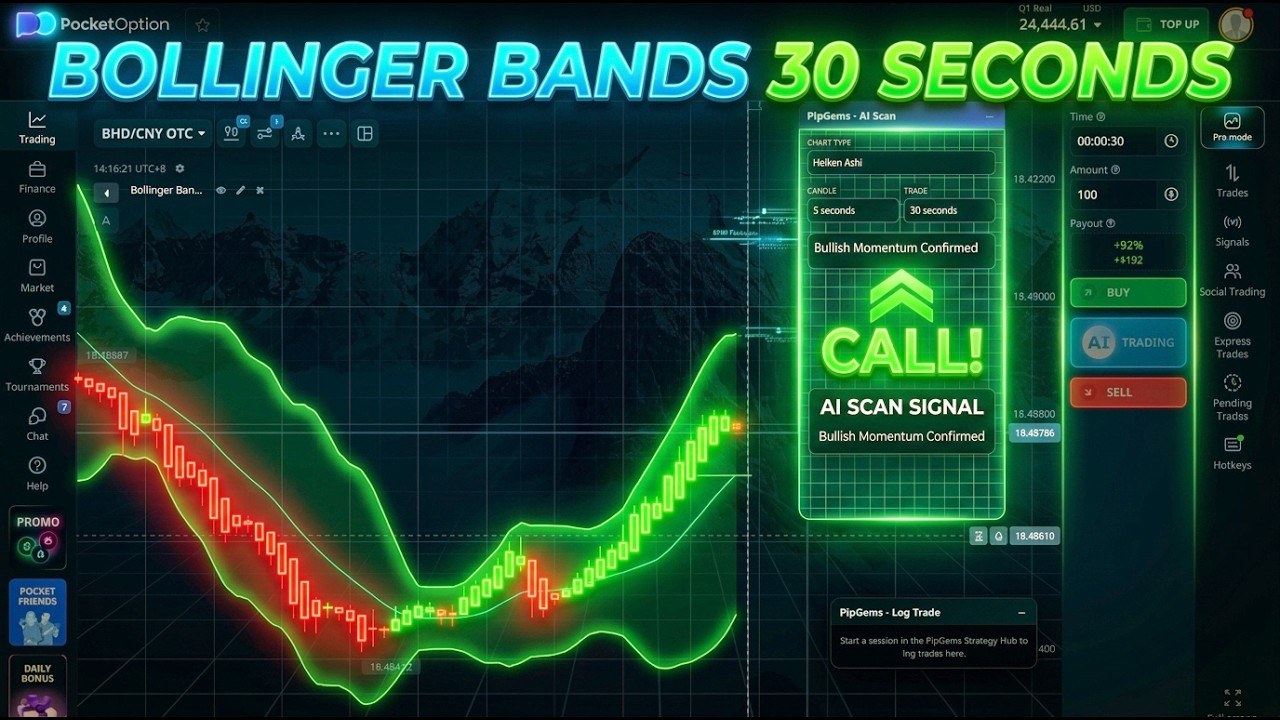
When the PipGems Signal Companion launched it did one job: put the signal on your chart so you stopped alt-tabbing. Version 1.5.5 is a different thing. There are now four separate panels that live on the broker page, and the interesting part is not any one of them — it is that they fold away into a single dock, so a full toolkit costs you almost no screen.
This is a tour of what the extension actually does today, on every platform it supports, including the parts that are easy to miss. It is also honest about what it refuses to do.
Four panels, one dock
The extension can show four windows on the broker tab, and each one is independently draggable and collapsible:
- AI Scan — reads the chart you are looking at and returns CALL, PUT or WAIT with a confidence level.
- Pair Filter — which pairs you want alerts for, synced with your account and your phone.
- Gauge — 21 indicators condensed into one verdict and a Sell / Neutral / Buy count.
- Log Trade — your next stake, today's P/L, balance, and a one-tap Win or Loss.
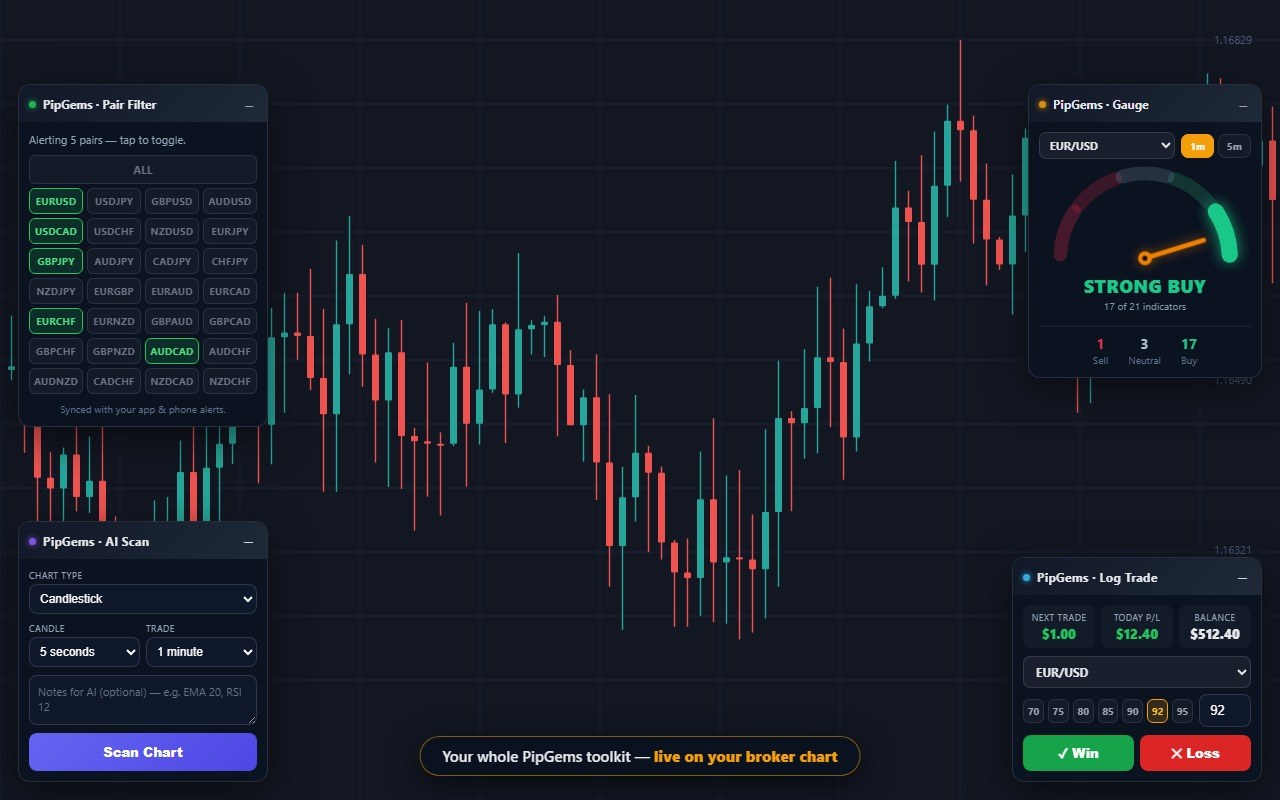
Four panels open at once is a lot of chart to give up, which is what the dock is for. Minimize any of them and it collapses into one draggable strip rather than leaving a pill in a corner. Each segment carries live text — the Gauge segment shows the current verdict, the Log Trade segment shows your next stake, the Pair Filter segment shows how many pairs are armed — so the collapsed state is still telling you something. Tap a segment and that window comes back.
That detail took two releases to get right. Version 1.5.2 introduced the dock; 1.5.4 moved it to a position where it stops hiding under the Log Trade panel, a collision found by testing on a real Pocket Option page rather than a mock-up.
The Gauge window and its LIVE badge
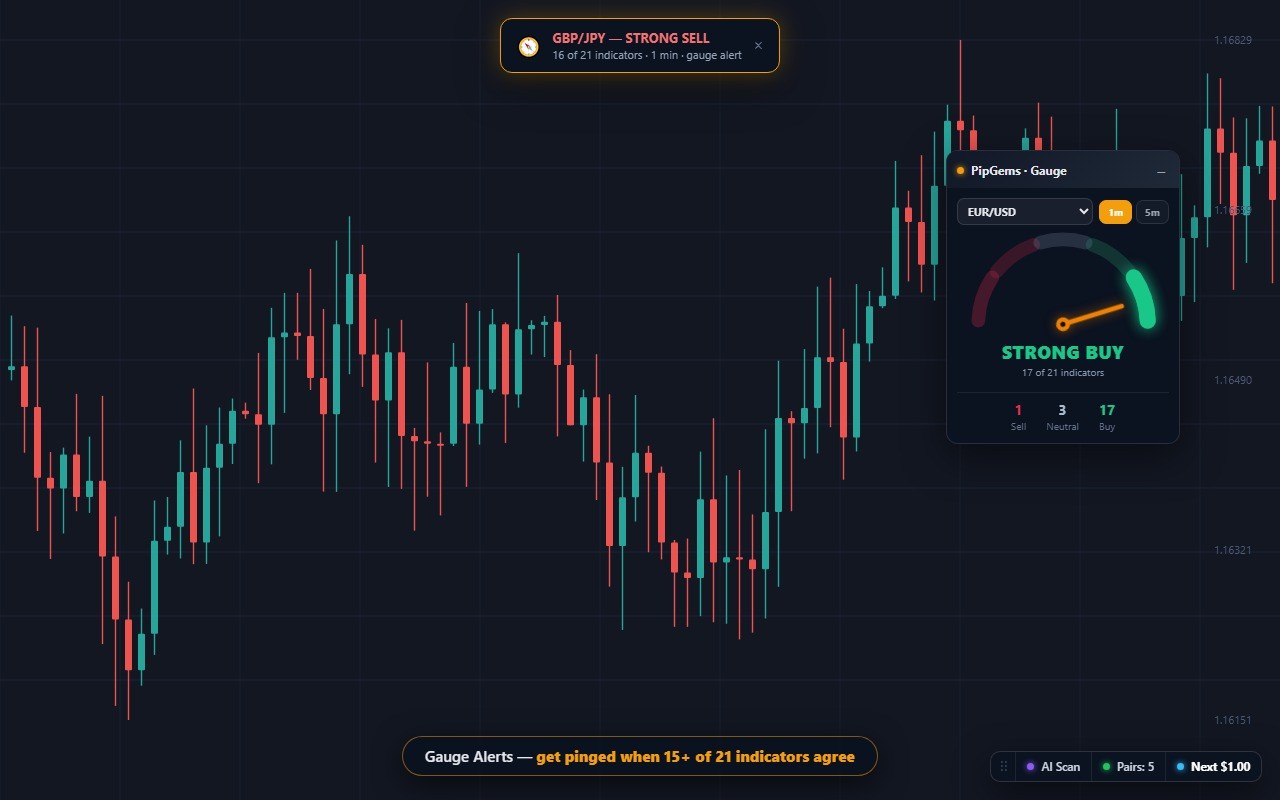
The Gauge is the panel most people keep open. It polls 21 indicators on the selected pair and prints the tally — 17 Buy, 3 Neutral, 1 Sell in the shot above — with a 1m / 5m switch that re-reads the same indicators on a different candle interval. Version 1.5.5 added a searchable pair picker, which matters once you are hunting one pair out of 28, and a ticking LIVE badge so you can tell a fresh reading from a stalled panel at a glance.
A word on what the number means, because it is the easiest thing on this page to misread. 17 of 21 is a headcount, not a probability. It does not say 17 of your last 21 trades won, and it is not a forecast. Indicators are not independent of each other — several moving-average tools built on similar maths will agree by construction — so a big number can be one idea repeated rather than 21 separate opinions. The genuinely useful column is Neutral: it tells you when the market is split rather than one-sided.
Gauge Alerts — and the anti-spam rules that make them usable
Watching a gauge is still watching a screen. Version 1.5.3 added Gauge Alerts: set a threshold on the slider — 15 of 21, say — and the extension pings you when a pair reaches it. The alert arrives as a toast on the page, a browser notification, an on-chart banner and a ding, so it reaches you whether or not the broker tab is in front.
The alerting rules are the part worth reading, because an alert that fires constantly is worse than no alert:
- One alert per pair and timeframe while the reading holds at or above your threshold — not one per refresh.
- It re-arms only after the reading drops below your threshold minus one, so a pair hovering on the boundary cannot flicker you to death.
- A five-minute minimum gap per pair and timeframe, on top of both of the above.
Set the threshold high and you will hear from it rarely. Set it at 12 and you have rebuilt the noise you were trying to escape.
The signal banner and one-tap logging
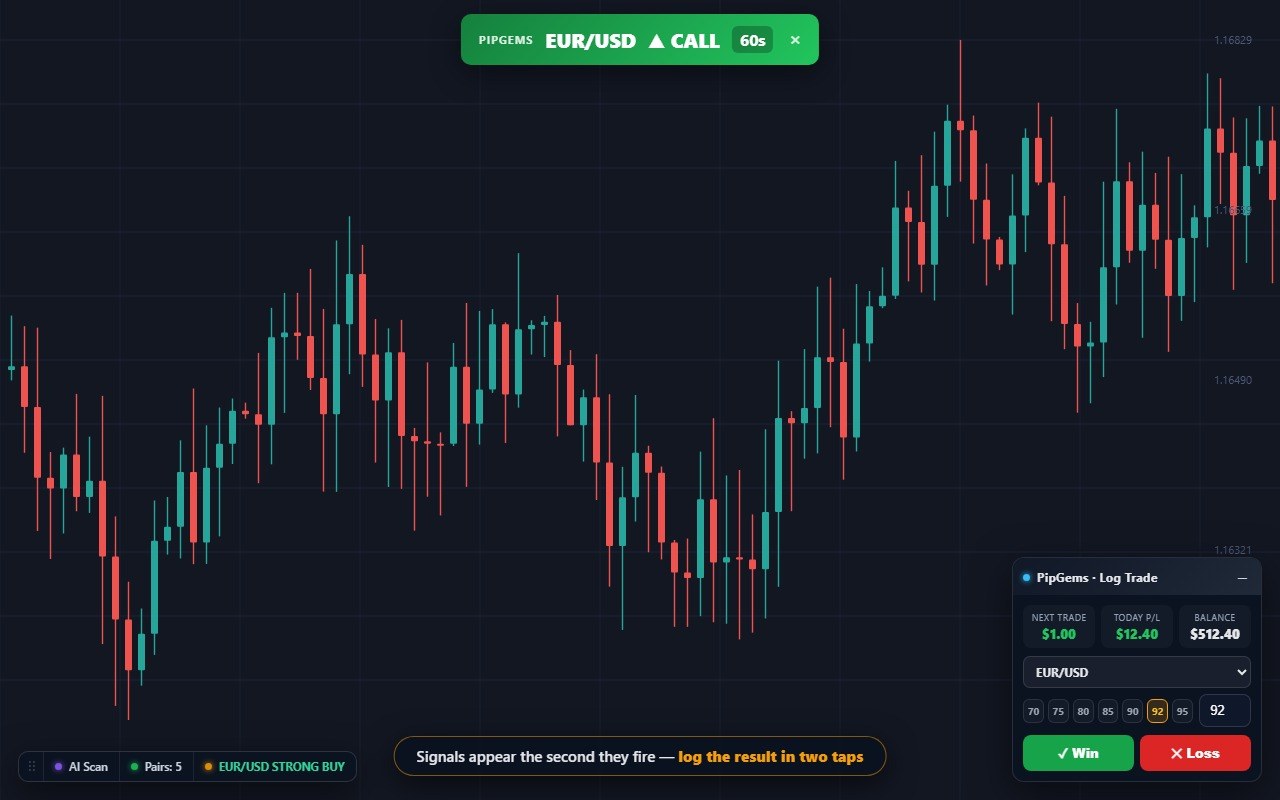
The original job still works: a signal fires and a banner appears over the chart with the pair, the direction and the expiry, alongside a system notification, a ringtone and a spoken announcement. You never switch tabs to see it.
What has grown is the Log Trade panel next to it. It shows your next stake, today's P/L and your balance; the pair dropdown follows the latest signal so it is usually already correct; and version 1.5.1 added payout chips (70, 75, 80, 85, 90, 95) so recording an 88% payout is a tap instead of typing. Win or Loss is one more tap, and it writes straight into your Strategy Hub session — so the website, your phone and this panel all show the same running session.
Note the condition on that: the panel only becomes active while a session is actually running in the Strategy Hub. Start one there first, or the panel just shows a hint.
Pair Filter, and turning panels off
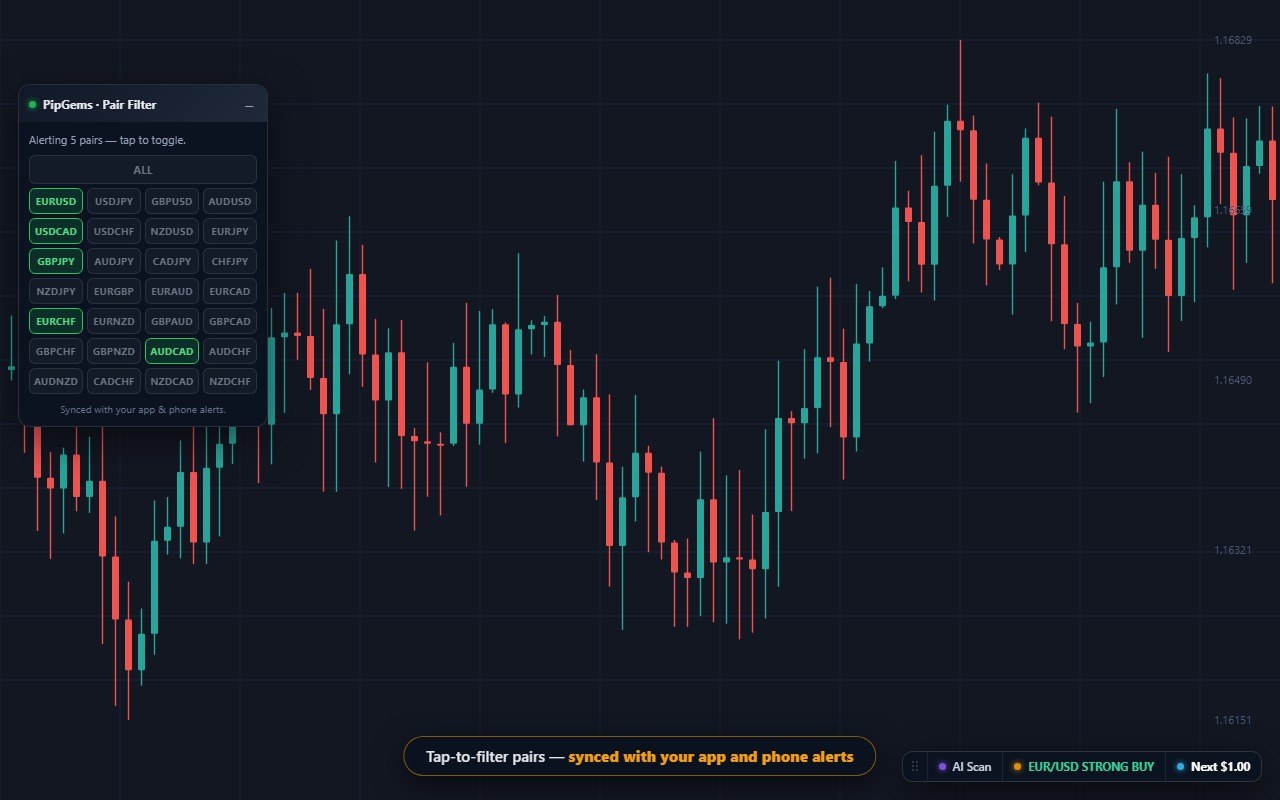
The Pair Filter is a grid of pairs you tap to arm or disarm, and it is two-way synced with your account — change it here and your phone alerts change too. If you only trade a handful of pairs, this is the setting that decides how often the extension speaks to you at all.
You are also not stuck with four panels. The popup has an on/off switch for each one, so you can run the Gauge alone and leave the rest off. There is a master switch for signal alerts, and an Enable on this site button that turns the panels on for a platform that is not in the built-in list.
Where it runs
The panels load automatically on Pocket Option (including po.trade), Quotex (qxbroker.com, quotex.io and market-qx.pro), Olymp Trade, IQ Option, Binomo, ExpertOption and Exnova. Anywhere else, the Enable on this site button handles it. Notifications, sound and voice fire on every signal no matter which site is open — the listener keeps running as long as Chrome is, even with pipgems.com closed.
Display-only, on purpose
The extension never clicks anything on the broker page. It does not fill a stake, does not press a direction button and does not submit an order. Every panel is a readout; every trade is yours to place. That is a design decision rather than a missing feature — an extension that trades for you is an extension that can lose money while you are not looking, and it is also the fastest way to have a broker account closed.
What it will not do for you
It is worth being plain about the limits, because a toolkit this dense can look like it is doing more thinking than it is:
- The Gauge does not predict. It counts. A STRONG BUY at 17 of 21 describes right now, not the next candle.
- Agreement is not accuracy. Nothing in the panel has shown that a higher count wins more often, so no reading should be treated as a probability.
- It does not manage your risk. The Log Trade panel records what you did; it will not stop you doing it again after four losses.
- Payout still decides the maths. On a 71% payout you need roughly 58.5% of trades to go your way just to break even; at 88% that falls to about 53.2%. Taking the same reading on a low-payout pair is a materially harder trade.
Frequently asked questions
What is the dock in the PipGems extension?
It is a single draggable bar that holds every panel you have minimized. The extension can show four windows on the broker chart - AI Scan, Pair Filter, Gauge and Log Trade - and collapsing them used to scatter four separate pills around the screen. The dock gathers them into one strip instead, each segment showing live text such as the current Gauge verdict or your next stake, and a tap on a segment reopens that window. It is draggable, and version 1.5.4 moved it clear of the Log Trade panel after testing on a real Pocket Option page showed the two overlapping.
What are Gauge Alerts and how do they avoid spamming you?
You set a threshold on the slider - say 15 of 21 indicators - and the extension tells you when a pair reaches it, with a toast on the page, a browser notification, an on-chart banner and a ding. The anti-spam rules matter more than the alert itself: one alert per pair and timeframe while the reading holds at or above your threshold, it only re-arms once the reading falls below the threshold minus one, and there is a five-minute minimum gap per pair and timeframe. Without those rules a pair sitting at 16 of 21 would fire on every refresh.
Does the extension place trades for me?
No, and that is deliberate. It is display-only by design - it never clicks a button, fills a field or submits an order on the broker site. It shows readings, signals and alerts, and you decide what to do with them. Trade logging records an outcome you already had; it does not open anything.
Which trading platforms does it work on?
The panels load on Pocket Option, Quotex, Olymp Trade, IQ Option, Binomo, ExpertOption and Exnova, including their alternate domains such as po.trade, qxbroker.com and market-qx.pro. If you use a platform that is not on that list, the popup has an Enable on this site button that turns the panels on for the tab you are looking at. Notifications, sound and voice fire on every signal regardless of which site is open.
Do I need a paid PipGems account to use it?
Yes. The extension is for Pro subscribers and checks your subscription when it starts, the same check the website makes. If you created your PipGems account with Google, set a password first - there is a Set Extension Password button on the login screen, because the extension signs in with an email and password rather than a Google popup.
Is a high Gauge reading a prediction?
No. The Gauge is a headcount of how many of 21 indicators currently read the same way, not a forecast and not a win rate. Indicators are not independent - several built on similar maths will agree with each other by construction - so a large number can be one idea repeated rather than 21 separate opinions. Treat it as a fast read of whether a market is one-sided or genuinely split, and use the Neutral column, which is the honest part of the panel.
The verdict
Version 1.5.5 is the release where the extension stops being a signal banner and becomes a workspace. The dock is what makes that possible — four panels are only usable if they can get out of the way — and the Gauge Alert anti-spam rules are what make an always-on alert something you can leave running. The searchable pair picker and the LIVE badge are small, but they are the kind of small that you notice every session.
Keep the honest framing in mind and it is a strong tool: it shortens the distance between a reading and a decision, and it keeps the decision yours.
This content is for educational purposes only. Trading involves risk. Past results do not guarantee future outcomes. Always practice responsible money management. Limit how many trades you take in a day and size them so a losing run cannot do real damage — no reading on any panel removes that requirement.