Overview
This tutorial pairs the PipGems AI Signal Scanner with the Pocket Option platform so you can read fast OTC charts without doing the analysis by hand. Instead of guessing the direction of every candle, you let the AI scan the chart and hand you a clear verdict — CALL, PUT, or WAIT — with a confidence level so you know how strong the read is before you place a 30-second trade.
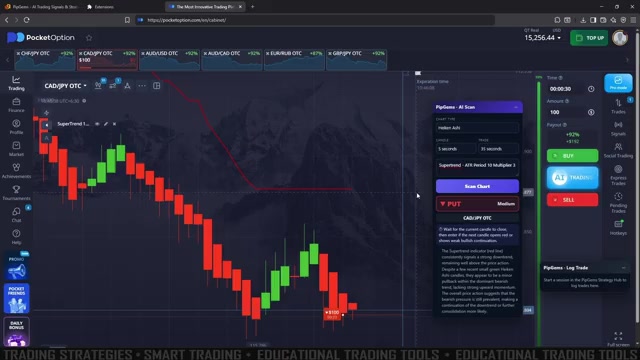
The full workflow runs on a scalp-style setup: OTC pairs, Heiken Ashi candles, a 5-second chart, and a 30-second target trade duration. Everything is synced through a browser extension called the Signal Companion, which lets the scanner see your live chart and log the outcome of each trade. And to keep things honest, the walkthrough includes both a trade that closes green and one that closes red — because not every signal lands.
What You’ll Need
- Pocket Option account with access to the OTC pairs (they trade on weekends and around the clock)
- PipGems AI Signal Scanner — part of the PipGems PRO toolkit
- The PipGems Signal Companion browser extension, which links the scanner to your live chart
- Chart settings: Heiken Ashi candles, 5-second time frame, 30-second expiry
Step 1 — Install the Signal Companion Extension
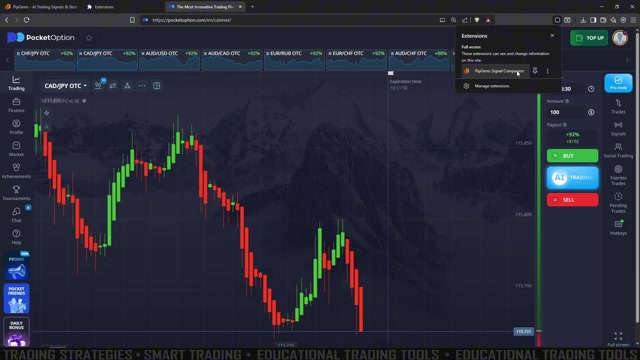
The scanner needs to “see” your chart, and that connection is handled by the PipGems Signal Companion browser extension. Install it from the extensions store, pin it, and confirm it appears in your browser toolbar while you have Pocket Option open. When it’s active you’ll see the extension listed with full access to the trading page.
Step 2 — Subscribe to a Plan
Live scanning is a PRO feature. On the free plan you can browse the historical signal feed, but to run real-time scans and get live CALL/PUT reads you’ll pick a PipGems plan — Monthly, Yearly, or the one-time PRO toolkit that also unlocks the Smart Screener, Analyzer, Strategy Wizard, and Indicator Builder. Your account email is filled in automatically at checkout, so make sure it matches the account you scan with.
Step 3 — Sync Your Chart Settings
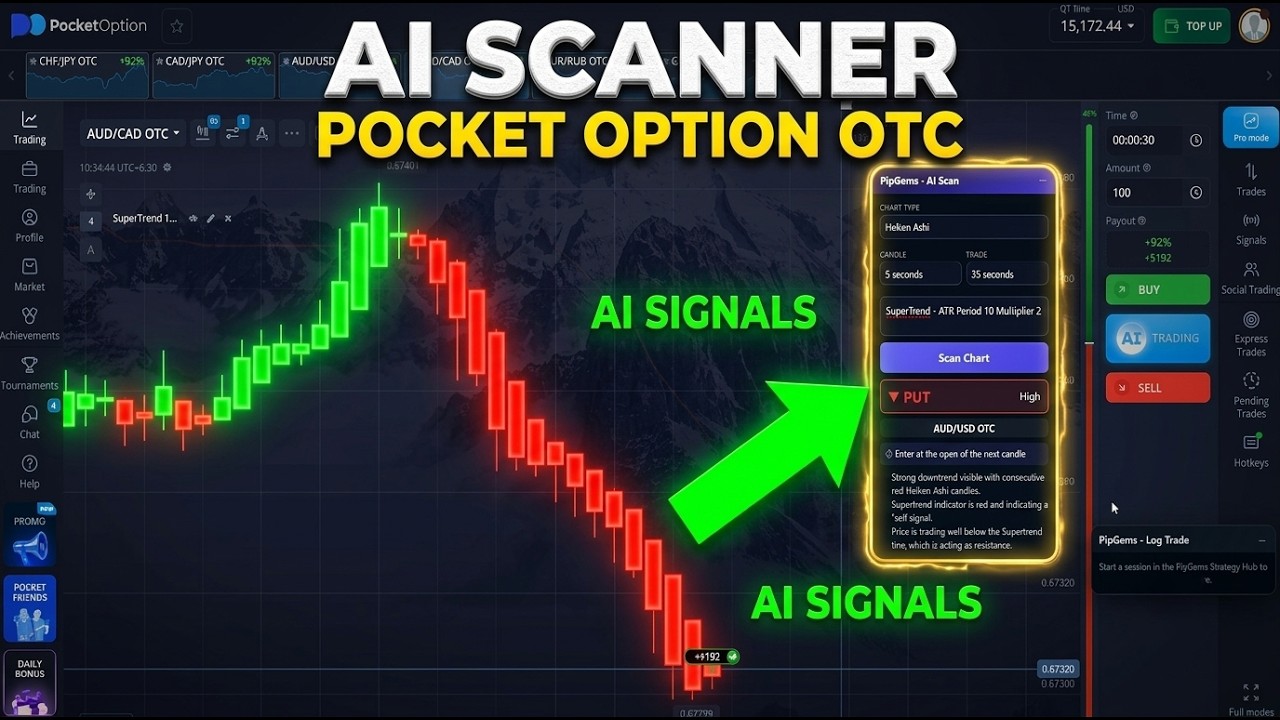
Open the PipGems — AI Scan panel and match its inputs to your Pocket Option chart so the read and the trade line up:
- Chart type: Heiken Ashi — the smoothed candles make the AI’s trend read cleaner
- Time frame: 5 seconds
- Target trade duration: 30 seconds
- Filter indicator: the setup in the video adds a SuperTrend (ATR Period 10, Multiplier 3) as a trend guide alongside the AI read
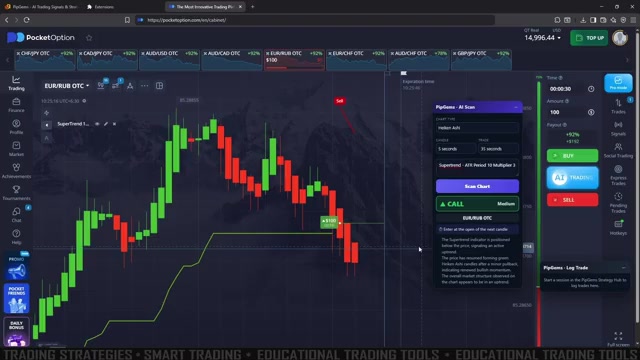
On the Pocket Option side, open the same OTC pair and set the expiry to 30 seconds so the chart you scan matches the trade you place. Keep the scanner panel and the chart side by side.
Step 4 — Run a Live Scan and Read the Verdict
With everything synced, press Scan Chart. The AI analyses the current OTC chart and returns two things you actually trade on:
- Prediction — CALL (up), PUT (down), or WAIT (no clear edge)
- Confidence — Low, Medium, or High
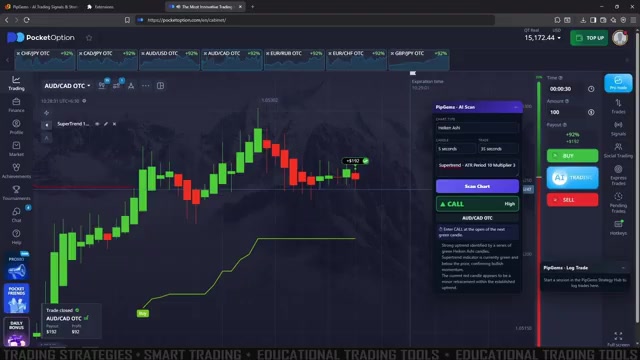
Below the verdict, a short Key Observations note explains the read in plain language — for example, a run of green Heiken Ashi candles forming above the SuperTrend line, pointing to short-term bullish momentum. That context lets you sanity-check the AI instead of following it blindly.
CALL (Up) Entry
- The scanner returns a CALL with medium or high confidence and price is holding above the SuperTrend line
- Open a BUY / Higher trade with a 30-second expiry on the same OTC pair
PUT (Down) Entry
- The scanner returns a PUT with solid confidence and price is under the SuperTrend line
- Open a SELL / Lower trade with a 30-second expiry
WAIT — Skip the Trade
- If the read is WAIT, or confidence is low, you do nothing and re-scan on the next candle
- Forcing an entry on a weak read is exactly what the scanner is built to stop you doing
Green and Red — Being Honest About Results
The walkthrough deliberately shows a trade that closes green and one that closes red. That’s the point: an AI signal tool improves your read, but it does not remove risk. Some scans line up and win, others don’t — losses are a normal part of short-duration trading. What keeps you in the game is treating every signal as one input inside a disciplined routine, not a guarantee.
- Take only medium-to-high confidence CALL/PUT reads; treat WAIT and low confidence as a hard skip
- Let the SuperTrend line confirm direction — scan and trend should agree before you enter
- Expect red trades and size your stake so a losing streak never damages the account
Money Management
- Risk a fixed 1–3% of your balance per trade — never raise your stake to chase a loss
- No Martingale on 30-second trades — doubling down compounds risk far faster than it recovers value
- Set a daily target in green closes and stop once you hit it; step away after 2–3 losses in a row
- Limit the number of trades per session so a bad run of OTC volatility can’t drain the account
Watch the Full Tutorial
See the full PipGems AI Signal Scanner setup on Pocket Option OTC from start to finish — installing the Signal Companion extension, syncing the chart, and running live 30-second scans, including both the green and red closes.
Risk Disclaimer
This content is for educational purposes only and is not financial advice. Trading involves significant risk. Past results do not guarantee future outcomes, and not every signal lands — losses are part of trading. Always practice on a demo account first, do your own research, and only trade with capital you can genuinely afford to lose.
#PipGems #PocketOption #OTCTrading #AISignalScanner #AITrading #SignalCompanion #HeikenAshi #30SecondTrading #BinaryOptions #TradingEducation #RiskManagement