Most signal tools fail for a boring reason: they alert you about markets you cannot actually trade. This session fixes that first, then trades what is left. It is the PipGems Signal Companion on Olymp Trade, cut down to four pairs, taking 1-minute Fixed Time entries off the Gauge and its alerts.
There is one detail in here worth more than the signals themselves — a winning trade that paid $3 instead of $8. That is at the bottom, and it is the part that decides whether any of this works.
Step one: install and sign in
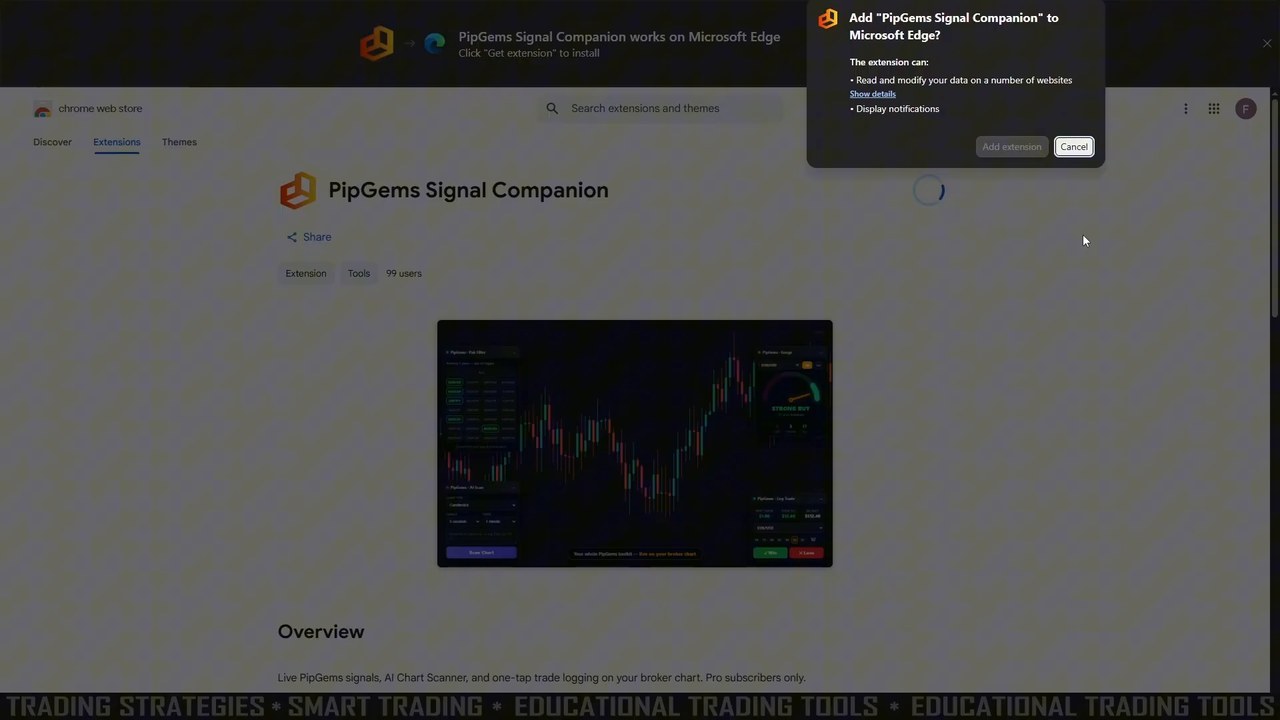
The extension installs the ordinary way from the browser's store, then asks for your PipGems login. It is Pro only — the account here carries a PRO badge on pipgems.com. If you created your PipGems account with Google, set a password first; the extension signs in with an email and password rather than a Google popup.
Step two: arm only the pairs Olymp Trade actually offers
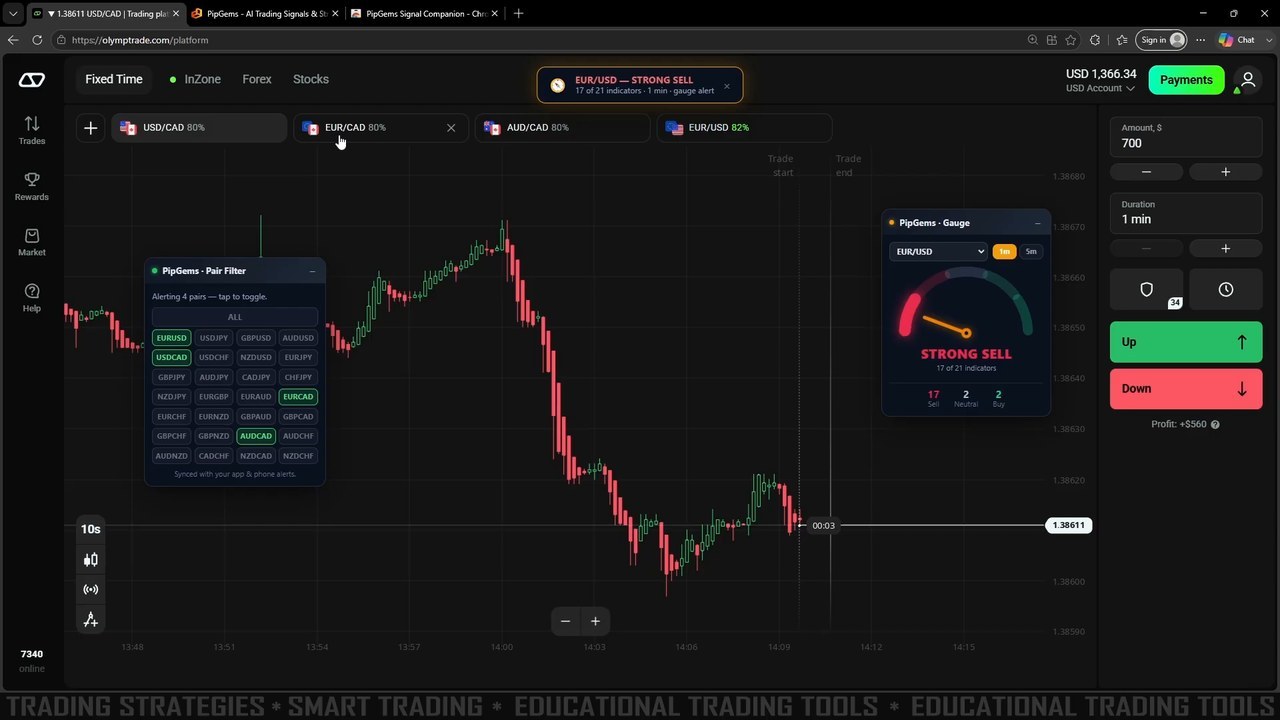
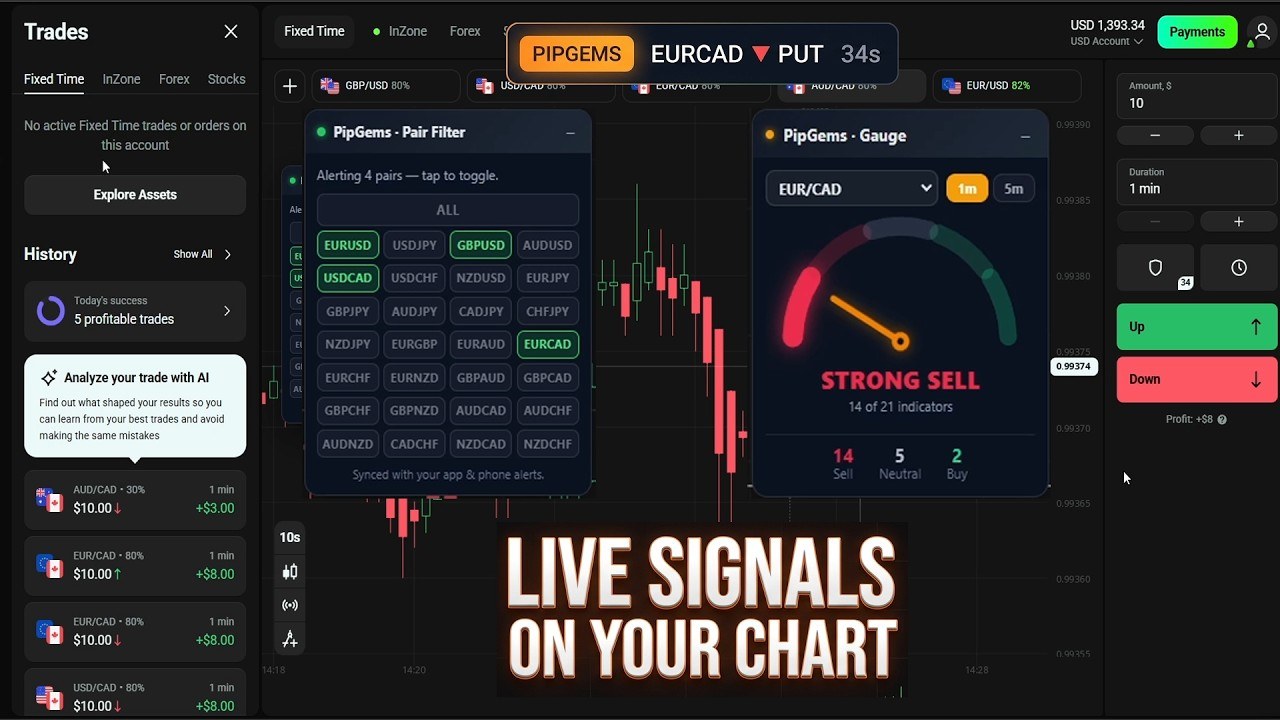
This is the step people skip, and it is the one that makes the rest usable. The Pair Filter panel lists 24 currency pairs. Olymp Trade had exactly four open in this session — USD/CAD, EUR/CAD, AUD/CAD and EUR/USD — so those four are armed and everything else is switched off. The panel reads "Alerting 4 pairs" and, usefully, it is synced with your app and phone alerts, so your phone stops buzzing about pairs you cannot open either.
An alert for a market your broker does not list is not a signal. It is an interruption.
Reading the Gauge, and what the number is not
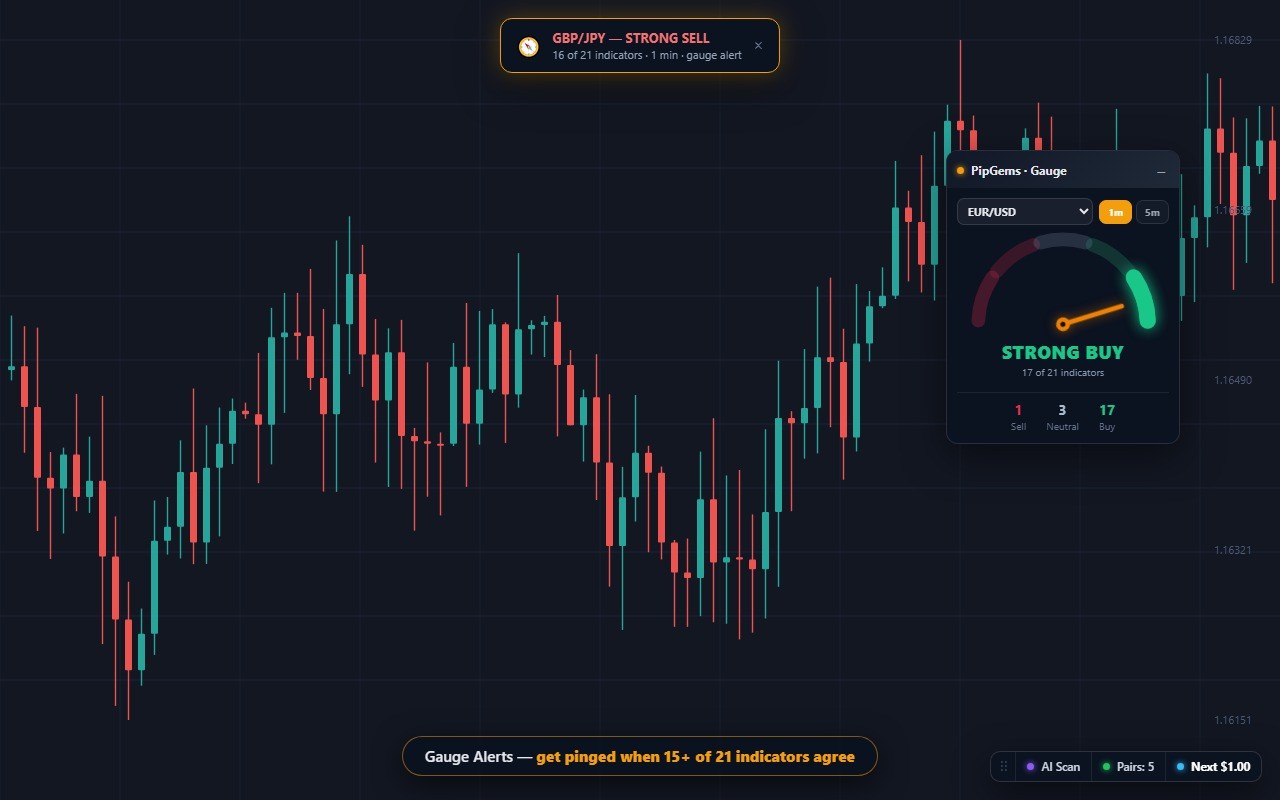
The Gauge panel polls 21 indicators on whichever pair you select — note that this is independent of the chart you are looking at, so you can watch USD/CAD while the Gauge reads EUR/USD. In the shot above it sits at STRONG SELL, 17 of 21 indicators, with the split underneath: 17 Sell, 2 Neutral, 2 Buy. The 1m / 5m toggle re-reads the same indicators on a different candle interval.
Say the obvious thing about that number: 17 of 21 is a headcount, not a probability. It does not mean 17 of the last 21 trades won, and it is not a forecast. Indicators are not independent of one another, so a large count can be one idea repeated rather than 21 separate opinions.
Later in the session the same panel reads SELL at 11 of 21 on EUR/CAD — 11 Sell, 3 Neutral, 7 Buy. That is a genuinely split market, and it is a more useful reading than the strong one precisely because it tells you to be careful.
The alerts, and the results
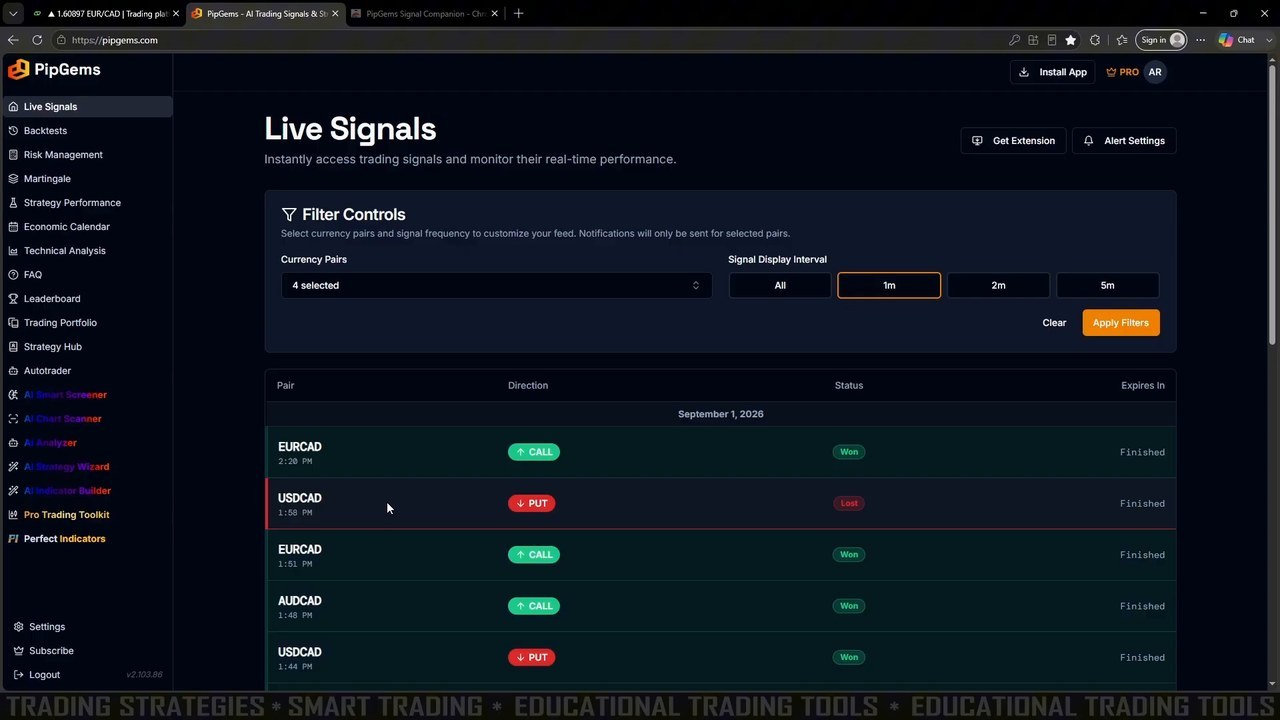
Two things fire when a setup appears. A gauge alert banner drops across the top of the broker page — EUR/USD — STRONG SELL, 17 of 21 indicators, 1 min — and separately the ordinary signal banner arrives with the pair, direction and a countdown, for example PIPGEMS AUDCAD ▼ PUT 38s. The countdown is the part that matters on a 1-minute expiry.
The same feed is listed on the website with Filter Controls: currency pairs and a display interval of All, 1m, 2m or 5m. The results table is where the honesty lives — on September 1 it shows EURCAD CALL won, USDCAD PUT lost, EURCAD CALL won, AUDCAD CALL won, USDCAD PUT won. Four green, one red, in that stretch. The broker's own history panel reports five profitable trades for the day.
That is a good session. It is also one session, on one afternoon, and nothing about it forecasts the next one.
The part that actually decides this: payout
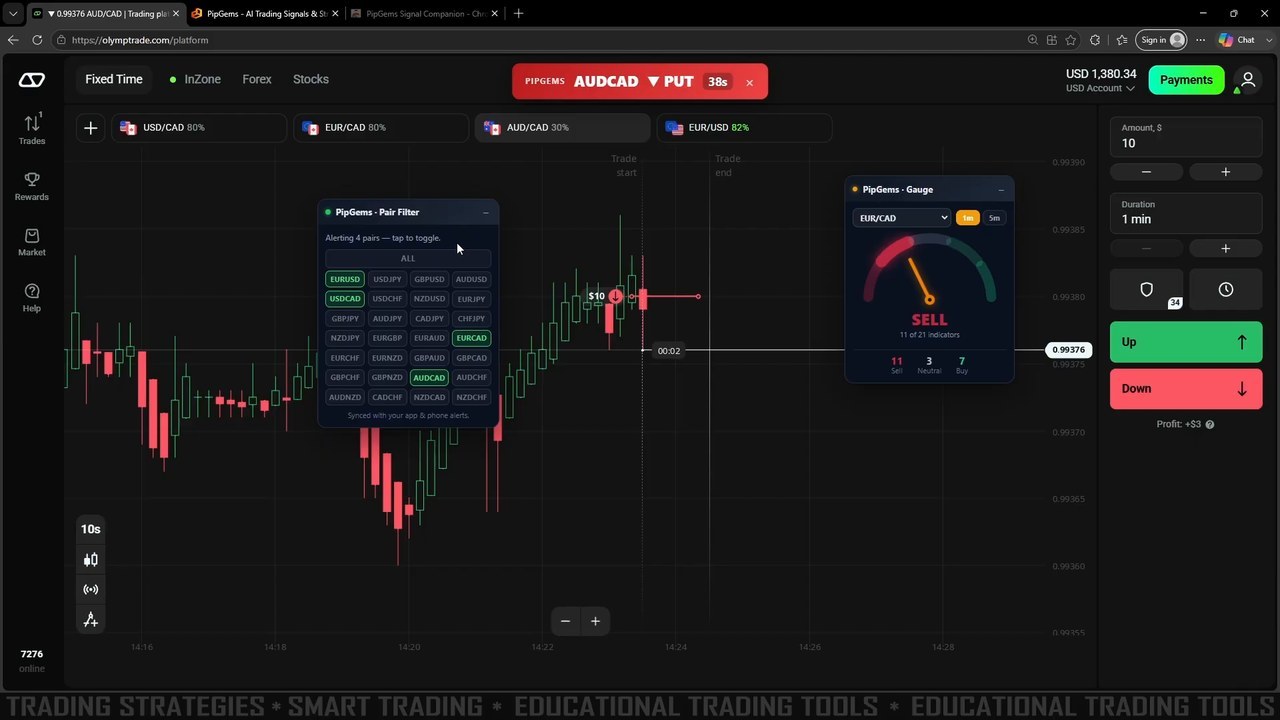
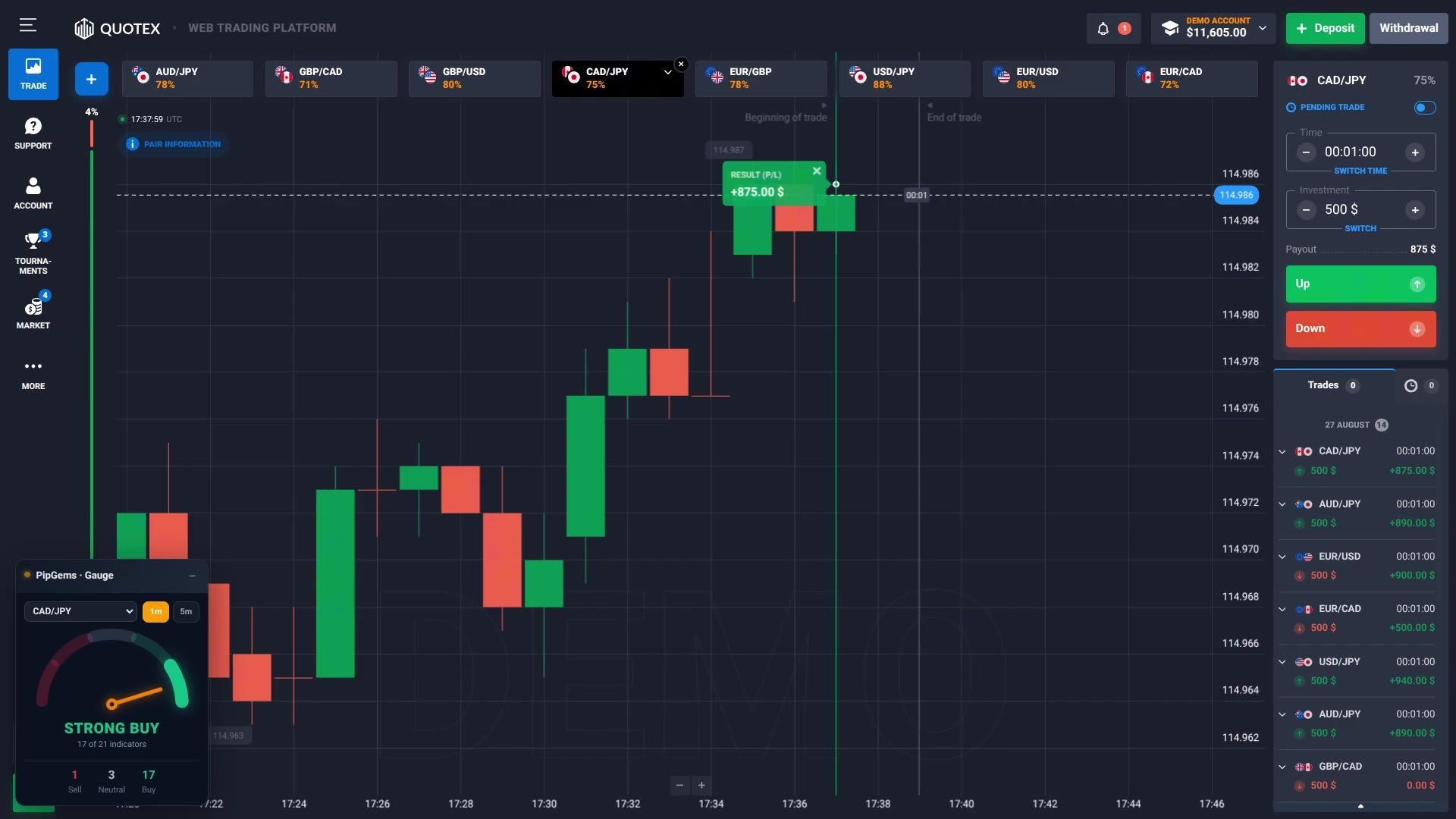
Look at the pair tabs across the top of the two broker screenshots. In the first, AUD/CAD pays 80%. In the second, taken minutes later, the same AUD/CAD pays 30%.
The trade history from that day makes the consequence concrete. Same $10 stake, same 1-minute expiry, all winners:
| Pair | Payout | Stake | Result | Break-even win rate |
|---|---|---|---|---|
| EUR/CAD | 80% | $10 | +$8.00 | 55.6% |
| USD/CAD | 80% | $10 | +$8.00 | 55.6% |
| EUR/USD | 82% | $10 | — | 54.9% |
| AUD/CAD | 30% | $10 | +$3.00 | 76.9% |
Break-even is 1 divided by 1 plus the payout. At 80% you need to be right about 55.6% of the time to stand still. At 30% you need 76.9% — more than three trades in four. No gauge reading closes that gap.
So the rule that comes out of this session is not about indicators at all: check the payout before you take the alert. A STRONG SELL at 17 of 21 on a 30% pair is a worse trade than a middling reading on an 82% pair, and the panel will never tell you that.
What this setup does and does not do
- It does not trade for you. The extension is display-only — it never clicks a button or fills a stake on the broker page. Every entry in the video is placed by hand.
- It does not rank the pairs by payout. That check is still yours, on the broker's own tabs.
- It does not predict. The Gauge counts agreement right now; agreement has not been shown to win more often.
- It does remove the hunting. Four armed pairs, an alert when one of them lines up, and a countdown on screen — that is the whole value, and it is a real one.
Frequently asked questions
Why filter the PipGems pairs down to what your broker offers?
Because an alert on a pair you cannot trade is noise. The signal feed covers 24 currency pairs, but Olymp Trade only had four open in this session - EUR/USD, USD/CAD, EUR/CAD and AUD/CAD - so the Pair Filter was set to arm exactly those four. Everything else stops alerting. The filter syncs with the account, so the phone stops buzzing for untradeable pairs too.
What does 17 of 21 indicators mean on the Gauge?
It is a headcount of how many of the 21 indicators currently read the same direction, not a probability. In this session the Gauge showed STRONG SELL at 17 of 21 on EUR/USD, and later a plain SELL at 11 of 21 on EUR/CAD. The lower number is the more honest one to notice: at 11 Sell, 3 Neutral and 7 Buy the market was genuinely split, and that is information the single word STRONG SELL does not carry.
What is a Gauge Alert and where does it appear?
You set a threshold, and when a pair reaches it the extension pings you. In the video the alert arrives as a banner across the top of the Olymp Trade page reading EUR/USD - STRONG SELL, 17 of 21 indicators, 1 min, gauge alert. It fires whether or not the broker tab is in front, so you are not required to sit watching the needle.
Why did one winning trade only return $3?
Payout. That trade was on AUD/CAD, which was paying 30% at the time, so a $10 stake returned $3. The EUR/CAD and USD/CAD trades in the same session were paying 80% and returned $8 on the same $10. Nothing about the signal changed - only the price the broker was quoting for taking it.
What win rate does a 1-minute Olymp Trade entry need to break even?
It depends entirely on the payout, and the difference is enormous. Break-even is 1 divided by 1 plus the payout: about 54.9% at an 82% payout, 55.6% at 80%, and 76.9% at 30%. That last figure is the one worth remembering - a 30% payout demands you be right more than three times in four just to stand still.
Do you need a paid PipGems account for this?
Yes. The extension is Pro-only and checks the subscription when it starts; the account in the video shows a PRO badge on pipgems.com. Installing it is the ordinary browser-extension flow, then you sign in with your PipGems email and password.
The verdict
Filtering the feed down to what your broker actually lists is the step that turns this from a noisy alert stream into something you can leave running. The Gauge is a fast read rather than an oracle, the alerts land where you are already looking, and the session closed green.
The payout gap is the thing to carry away. Same signal, same stake, and the difference between needing 55.6% and needing 76.9% to break even — that is decided before any indicator is consulted.
The session
This content is for educational purposes only. Trading involves risk. Past results do not guarantee future outcomes. Always practice responsible money management. Cap how many trades you take in a day and size them so a losing run cannot do real damage — a good session does not change that requirement.