Strategy Overview
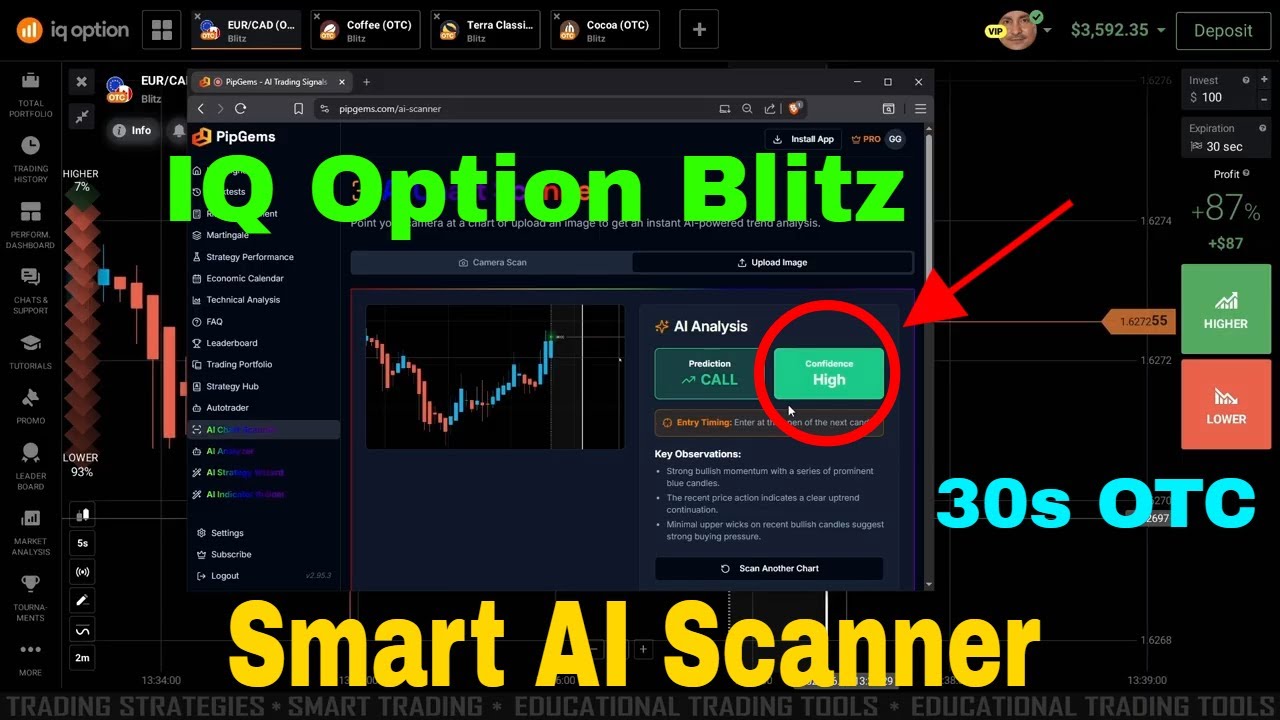
This session pairs the PipGems AI Chart Scanner with IQ Option Blitz mode for ultra-short 30-second OTC trades. The AI Chart Scanner continuously monitors multiple OTC currency pairs and surfaces the ones showing the strongest directional momentum — so instead of watching every chart manually, you let the scanner surface the best setup and then enter on IQ Option Blitz with a 30-second expiry.
The combination works because Blitz's speed advantage is only useful when the underlying signal quality is high. The PipGems scanner filters out low-confidence pairs and presents only those where momentum, volume patterns, and signal alignment indicate a higher-probability short move.
What is IQ Option Blitz Mode
- Blitz is IQ Option's ultra-short expiry format — available in durations from 5 seconds up to 60 seconds
- The 30-second setting gives you slightly more room than 5-second or 10-second Blitz while still capturing fast OTC momentum moves
- OTC (Over the Counter) markets run 24/7 and are separate from standard forex hours — important for trading outside regular session times
- Blitz trades settle quickly, so session pacing matters: waiting for quality setups is more important than trade frequency
PipGems AI Chart Scanner — How It Works
- The scanner reads live OTC chart data and ranks currency pairs by signal strength in real time
- It highlights pairs where multiple indicators align simultaneously — reducing the chance of entering on a single weak signal
- Color-coded output makes it easy to identify CALL or PUT bias for each pair at a glance
- Pairs with conflicting or neutral readings are suppressed — only high-alignment setups are surfaced for entry
How to Set Up the Strategy
Step 1 — Open PipGems AI Chart Scanner
- Launch the PipGems platform and navigate to the AI Chart Scanner tab
- Set your target platform to IQ Option and select OTC pairs from the scanner list
- Wait for the scanner to load signal data across all monitored pairs — this typically takes 10–20 seconds on first load
Step 2 — Identify High-Signal Pairs
- Look for pairs showing a green CALL signal or red PUT signal with high confidence rating
- Avoid pairs showing mixed colors or low-confidence readings — these are noise, not setups
- Focus on 1–3 pairs per session to avoid overtrading and signal dilution
Step 3 — Execute on IQ Option Blitz
- Switch to IQ Option, locate the same OTC pair the scanner signaled, and set the expiry to 30 seconds
- Enter the trade at the opening of the next candle after the scanner signal fires
- Do not delay entry — 30-second moves are fast and timing relative to candle open matters significantly
Entry Rules
CALL (Up) Entry
- PipGems scanner shows a green CALL signal with high confidence on the target OTC pair
- Price action on the IQ Option chart is above the short-term moving average or support zone
- Open a CALL trade with 30-second expiry at candle open
PUT (Down) Entry
- PipGems scanner shows a red PUT signal with high confidence on the target OTC pair
- Price action on the IQ Option chart is below the short-term moving average or resistance zone
- Open a PUT trade with 30-second expiry at candle open
Skip any setup where the scanner signal and price action disagree. The two inputs working together — scanner confidence and visual price confirmation — is what gives this method its edge. Either one alone is insufficient for a 30-second entry.
Risk Management
- Keep each Blitz trade to 1–3% of your session balance — 30-second OTC moves can be unpredictable despite strong signals
- Set a hard daily stop-loss before starting — once hit, close the platform and stop for the day
- Limit to a maximum of 10–15 trades per session to avoid overtrading and signal fatigue
- Do not use Martingale recovery on 30-second Blitz — consecutive losses compound too fast at this speed
- Take a break after 3 consecutive losses — recheck the scanner and wait for a fresh signal reset before re-entering
The PipGems scanner improves signal quality but does not eliminate losing trades. Flat position sizing and strict session limits are what keep individual losses from becoming account-damaging events.
Watch the Strategy in Action
See PipGems AI Chart Scanner paired with IQ Option Blitz 30-second OTC entries in a live trading session.
Risk Disclaimer
This content is for educational purposes only. Trading involves significant risk. Past results do not guarantee future outcomes. Always practice responsible money management and only trade with capital you can afford to lose.
#IQOption #Blitz #PipGems #AIChartScanner #OTCTrading #30SecondStrategy #BinaryOptions #IQOptionBlitz #TradingSignals #TradingEducation #RiskManagement