Easy Trading on IQ Option 2026:
How to Use PipGems AI Signals the Right Way
👤 ultimatefxtools
📅
⏱️ 7 min read
🤖 PipGems AI + IQ Option
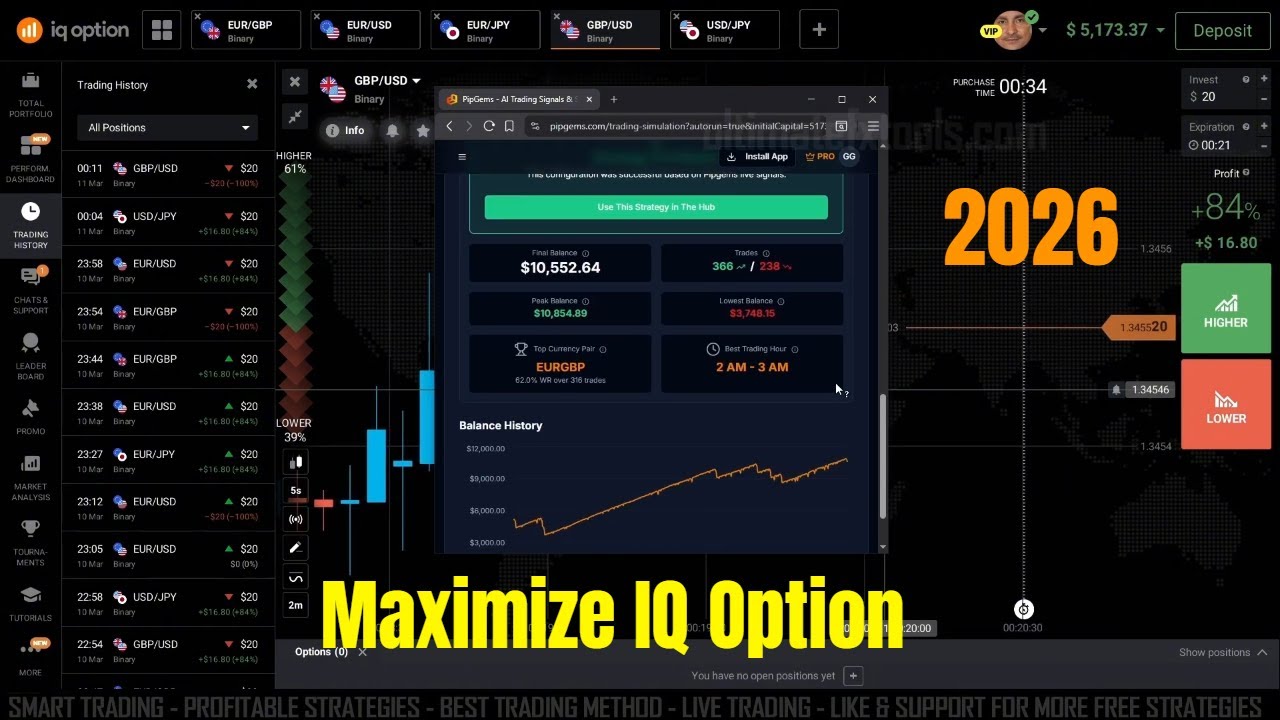
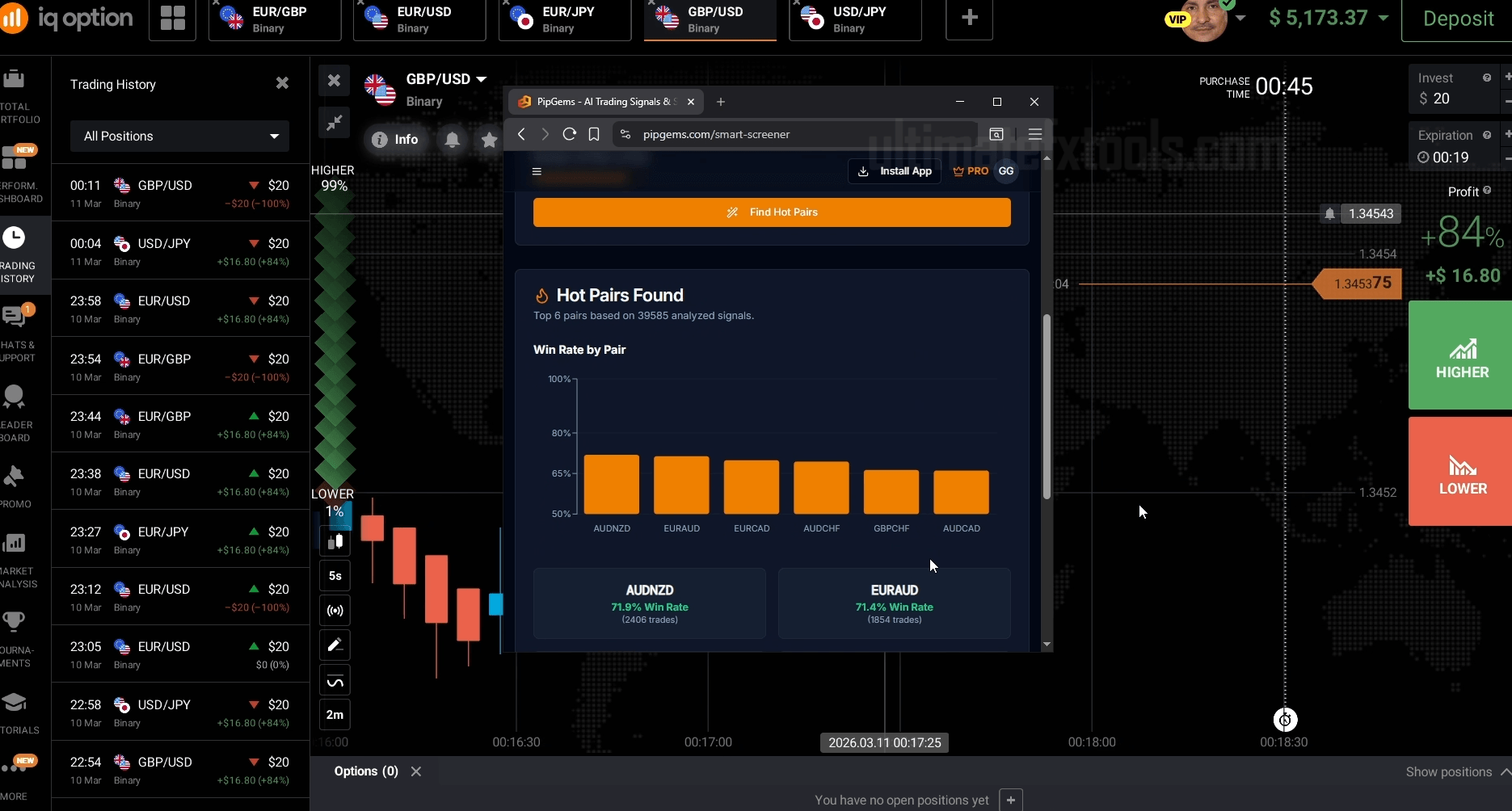 PipGems AI Signals + IQ Option — Smart Screener & Risk Management workflow in action
✨ Quick Summary
PipGems AI Signals + IQ Option — Smart Screener & Risk Management workflow in action
✨ Quick Summary
What Is PipGems AI + IQ Option?
PipGems is an AI-powered signal app from UltimateFXtools that combines live signal feeds, a smart screener, and an AI Strategy Wizard to help you trade IQ Option more consistently. Instead of guessing entries, you get filtered, AI-analyzed alerts for the best pairs and the best hours — with a structured risk plan built in.
AI-Powered Signals Smart Screener IQ Option Compatible Risk Management Built-In Demo-First ApproachTrading on IQ Option becomes far more manageable when you stop relying on gut instinct and start using structured, AI-filtered signals. PipGems from UltimateFXtools is built exactly for that — combining an AI signal feed, a smart pair screener, and an AI Strategy Wizard that helps you build, backtest, and execute a proper daily trading plan.
This guide walks you through the complete setup: how to filter signals for IQ Option pairs, how to use the screener to find your best trading hours, how the AI Strategy Wizard helps you design a risk-managed plan, and how to actually execute trades with discipline. Whether you're a beginner or an experienced trader, this workflow will cut the noise and sharpen your focus.
Why Combine PipGems AI Signals with IQ Option?
Most traders lose not because signals are bad — but because they trade too many pairs, at the wrong hours, with no position sizing plan. PipGems solves all three at once:
Core Advantages ✓ AI-filtered signals — Not raw alerts. The AI analyzes pattern strength, momentum, and historical hit rate before surfacing a signal ✓ Broker matching — Filter signals specifically for pairs available on IQ Option, eliminating irrelevant alerts instantly ✓ Smart screener — Identifies the most historically good pairs and time windows for your chosen trading hours ✓ AI Strategy Wizard — Generates a personalized daily trading plan with daily targets, position sizes, and backtested pair recommendations ✓ Beginner-friendly — No coding, no complex setups. The entire workflow is guided and visual 1–2Best Pairs Per Session 1mInterval Filter 1–3%Daily Target 3–5%Max Daily Loss LimitStep 1 — Match Your Signals to IQ Option Pairs
The first thing to configure in PipGems is your broker pair filter. IQ Option offers a specific set of forex pairs — not all globally traded pairs — so filtering upfront is critical. Receiving signals for pairs your broker doesn't support wastes time and distracts from quality setups.
🤖How to Set It Up
In PipGems, open the filter panel and select IQ Option as your broker. The app will automatically narrow the signal feed to pairs available on your platform — typically EUR/USD, GBP/USD, USD/JPY, EUR/JPY, AUD/USD, and similar majors and crosses.
Step 2 — Use the Smart Screener to Find Your Best Hours & Pairs
Not all trading hours are equal. The smart screener in PipGems analyzes historical win rate data for each pair across different time windows and surfaces only the combinations worth trading during your available hours.
1 Set Your Trading WindowEnter a start and end time that matches when you're available to trade — for example, 12:00 PM to 1:00 PM. You don't need to be at the screen all day.
Apply the win-rate filter for forex pairs. This removes time windows and pairs with poor historical performance from your view automatically.
3 Review the Screener OutputThe screener will rank pairs by win rate during your chosen interval. Focus on the top 1–2 pairs — trading fewer pairs with higher confidence beats trading many pairs with weaker setups.
💡Pro Tip: Re-Run the Screener Weekly
Market conditions change. A pair that performed well in January may underperform in March. Re-running the smart screener periodically keeps your pair selection current and removes underperformers from your rotation.
Step 3 — Apply the AI Strategy Wizard for a Risk-Managed Plan
The AI Strategy Wizard is where PipGems stands apart from generic signal apps. Instead of just giving you signals, it generates a complete, backtested daily trading plan based on your specific inputs.
How to Configure the AI Strategy Wizard
AI Strategy Wizard — Configuration Checklist 1 Upload a trading chart or switch to Manual Mode and type in your tradable pairs directly 2 Enter your current account balance — this is used to calculate safe position sizes 3 Set a realistic daily target — recommended range is 1–3% of your account balance per day 4 Enter the average payout rate of the pairs on IQ Option — use broker averages or your historical payouts 5 Click Generate Strategy and review the projected trading plan output 6 Review the backtest simulation — the wizard will recommend the 1–2 pair combinations with the best historical metrics ⚠️Keep Your Daily Target Realistic
Setting a target above 3–5% per day dramatically increases pressure to overtrade. A 1–2% daily target compounds extremely well over time and is far more sustainable. Greed is the biggest account killer — the AI wizard is designed to protect you from it.
Step 4 — Select Live Signals and Set Your Display Filter
With your screener results and AI Strategy Wizard output in hand, you now have a clear shortlist: the specific pairs to trade, the time window to trade them, and the recommended position size. Now it's time to filter your live signal feed to match.
| Filter Setting | Recommended Value | Why It Matters |
|---|---|---|
| Broker Filter | IQ Option | Only see pairs your broker supports |
| Display Interval | 1 Minute | Reduces noise and late-signal clutter |
| Active Pairs | Top 1–2 from Screener | Quality over quantity — fewer distractions |
| Trading Window | Your set hours only | Prevents impulsive off-session trades |
| Signal Strength Filter | High Confidence Only | Eliminates weak, low-probability alerts |
PipGems AI Bot + IQ Option — AI Strategy Wizard output showing recommended pairs and daily risk plan
Step 5 — Trade Execution & Daily Risk Rules
Signals mean nothing without disciplined execution. Here's the exact framework to follow once you're live:
✅ Do This ✓Only take signals matching your screener pairs and time window ✓Use fixed stake sizing: 1–2% of balance per trade ✓Stop trading once daily target is hit ✓Log every trade — signal, pair, result, and time 🚫 Avoid This ✗Chasing losses with bigger stakes after a losing trade ✗Trading outside your set time window out of boredom ✗Continuing after hitting the 3–5% daily loss limit ✗Changing strategy mid-session based on emotionStep 6 — Backtest, Practice on Demo, Then Go Live
This is the step most traders skip — and it's the most important one. No matter how good the AI wizard's output looks, you need to validate it with your own demo testing before committing real capital.
1 Review the Backtest from the AI WizardCheck the simulated historical performance of your selected pair combinations. Look for consistency, not just peak results.
2 Open a Demo Account on IQ OptionIQ Option offers free demo accounts with virtual funds. Use this to practice the exact setup — same pairs, same hours, same stake sizing.
3 Run at Least 50–100 Demo TradesOne or two sessions is not enough to evaluate a strategy. Run enough trades to see a real pattern emerge across different market conditions.
4 Move to Live Only When Results Are ConsistentWhen your demo results align with the AI wizard's projections across multiple sessions, transition to a live account using the same exact rules.
🚫Never Skip Demo Testing
Every experienced trader tests on demo first — no exceptions. The AI Strategy Wizard gives you projections based on historical data, but forward-testing in real market conditions with a demo account is the only way to verify the setup actually works for your style and timing.
Practical Example: A Real Trading Session Workflow
Here's exactly what a disciplined 1-hour trading session looks like using this system:
| Step | Action | Result |
|---|---|---|
| Pre-session | Run smart screener for 12:00–1:00 PM window | Top 2 pairs identified: EUR/USD + USD/JPY |
| Pre-session | Check AI Strategy Wizard output | Daily target set: 2% of balance. Stake: 1.5% per trade |
| 12:00 PM | Filter live PipGems feed to EUR/USD + USD/JPY, 1-min interval | Clean signal feed — no noise from other pairs |
| 12:08 PM | EUR/USD CALL signal fires — confirmed by price action | Trade placed at 1.5% stake |
| 12:09 PM | Trade closes in win | +1.3% gain on balance |
| 12:30 PM | Daily target hit after 3rd trade | Session ended — no more trades today |
The Core Insight
Notice the session ended after hitting the daily target — not when the market closed. Knowing when to stop is as important as knowing when to enter. The AI Strategy Wizard builds this discipline into the plan from the start.
Tips to Improve Results Over Time
Optimization Tips ✓ Re-run the smart screener every week or two — market conditions shift, and the best pairs change ✓ Adjust the AI wizard's payout assumptions nightly based on your actual IQ Option payout rates ✓ Keep a simple trade log — date, pair, signal type, and result. Patterns will emerge within 2–3 weeks ✓ Prioritize quality over quantity — 3–5 high-confidence signals are worth more than 20 weak ones ✓ Keep position size small while testing any new pair or time window, even on a live accountFinal Verdict
The combination of PipGems AI signals, the smart screener, and the AI Strategy Wizard gives you something rare in retail trading: a structured, AI-assisted workflow that removes the guesswork from every stage of the trade — from pair selection to position sizing to knowing when to quit for the day.
This isn't a magic system and no system guarantees profits. But when you trade the right pairs, at the right hours, with a fixed plan and proper risk limits, you give yourself a genuine statistical edge. Start on demo, follow the workflow above, and only move to live capital once your results are consistent.
Ready to try it? PipGems AI is included in the UltimateFXtools lifetime membership — alongside every MT4/MT5 indicator, script, strategy guide, and video tutorial in the full library.
#IQOption #PipGems #AISignals #ForexSignals #TradingStrategy #RiskManagement #SmartScreener #AIStrategyWizard #DemoTrading #ForexTrading #UltimateFXtools IQ Option
 Breakout — 1 Minute Script
IQ Option
IQ Option Breakout — 1 Minute Script
 MT4 Indicator
FX Scanner Pro
MT4 Indicator
FX Scanner Pro