"Two-Line Trend Structure"
"Triangular Moving Average + Confirmed Swing Legs"
"Agreement Alerts on Any Timeframe"
What the TMA + ZigZag Indicator Does
Most signal tools stack a slow trend filter against a fast oscillator. This one pairs two deliberately slow tools, because on fast charts the problem is rarely a lack of signals — it is that almost all of them are noise.
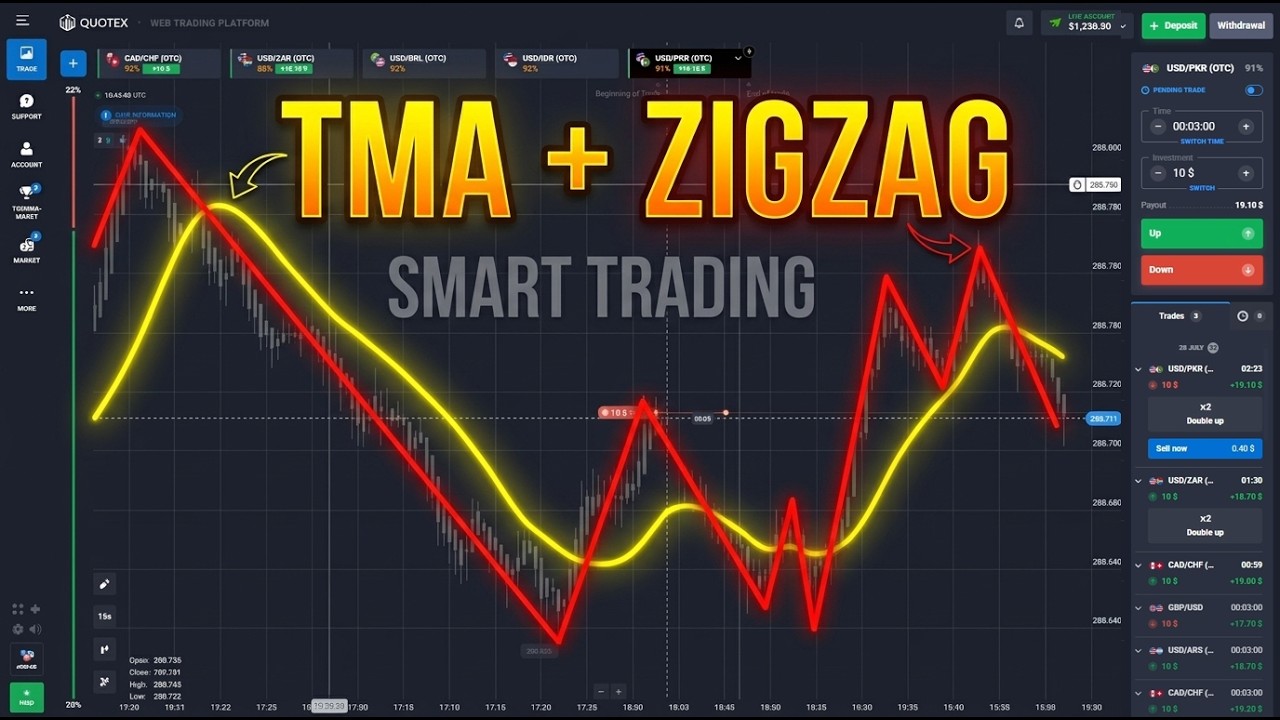
- TMA (Triangular Moving Average) — a moving average smoothed twice. Where an EMA reacts to the newest candle, the TMA weights the middle of its window most heavily, so it holds a steady slope through choppy price and turns only when direction genuinely changes.
- ZigZag — reduces the chart to its skeleton by connecting significant swing highs to swing lows, filtering out every move smaller than the deviation threshold. It answers one question: which way is the current leg running.
The indicator plots both and raises an alert only when the swing structure and the smoothed trend point the same way — an up leg with the TMA rising beneath price, or a down leg with the TMA falling above it. Disagreement produces no alert, which is the point.
Settings
- TMA Period — default 20. Longer holds its slope through more noise but turns later; shorter is more responsive and starts to wobble on very fast charts.
- TMA Applied Price — Close by default; Median (HL/2) is a little steadier on wicky pairs.
- ZigZag Depth — default 12. The minimum number of bars between pivots.
- ZigZag Deviation — default 5. How far price must retrace, in points, before a new leg is recognised. Raise it to ignore small counter-moves.
- ZigZag Backstep — default 3. Stops two pivots being marked too close together.
- Confirm Bars — how many closed bars a new leg must survive before an alert may fire. This is the setting that decides whether you are trading a confirmed swing or a provisional one.
- Alerts — popup, sound, mobile push and email, each independently switchable.
How to Read It
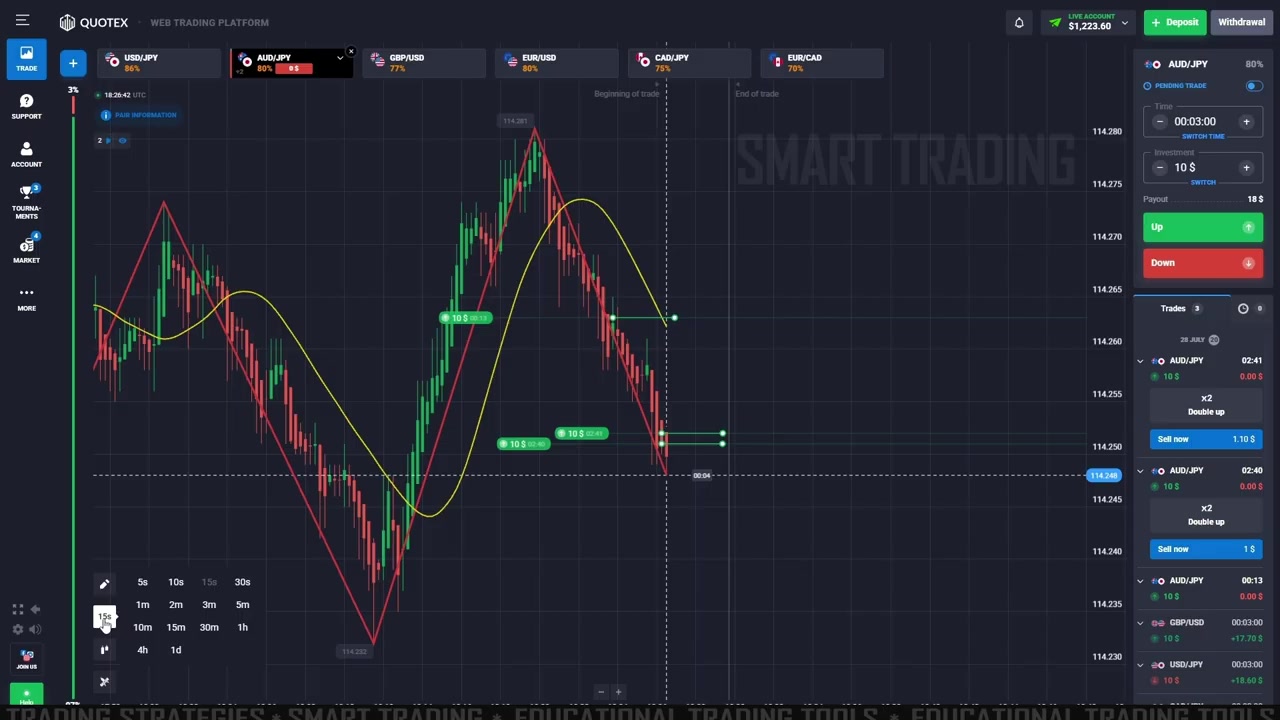
ZigZag turns a few hundred candles into four or five legs, and the TMA rolls over and under them. Read it as a sequence: the leg gives you the structure, then the TMA has to agree before there is a trade.
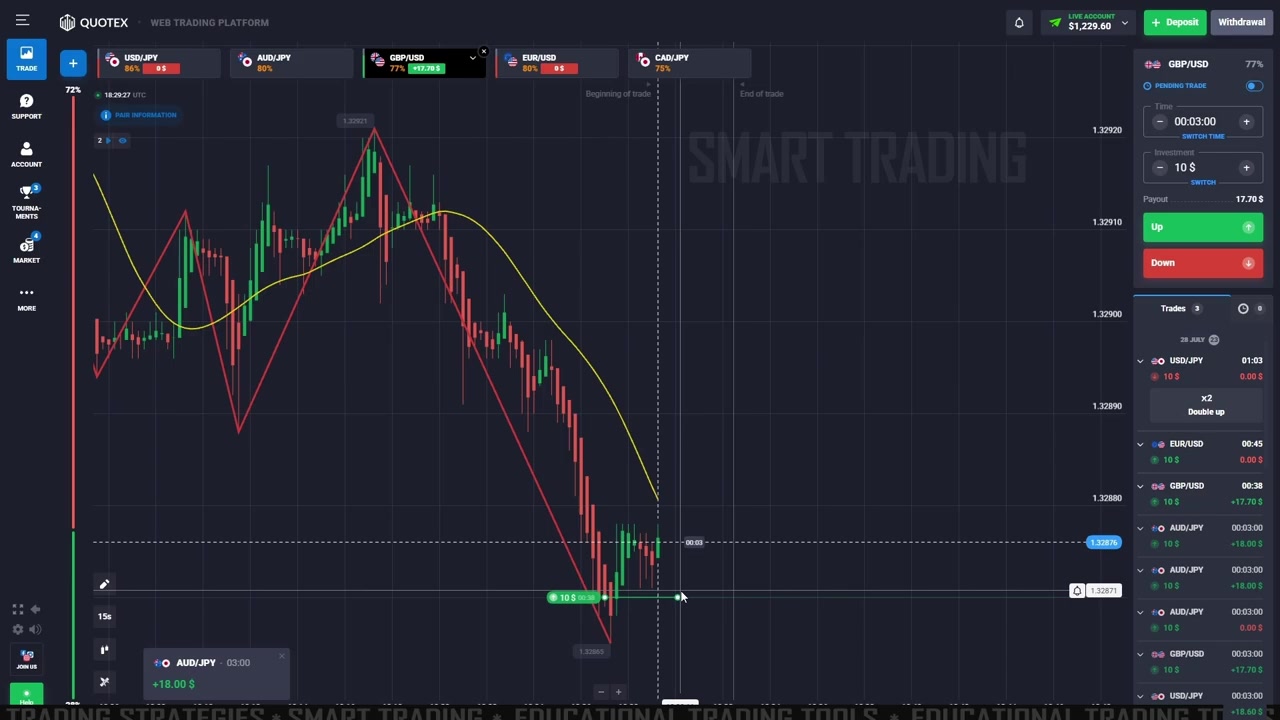
- SELL / DOWN — ZigZag leg running down into a fresh low, TMA rolled over and sloping down, price below it.
- BUY / UP — ZigZag leg running up off a low, TMA turned up, price above it.
- No trade — the two disagree, or the leg is only one or two candles old.
The Repaint Caveat — Read This Part
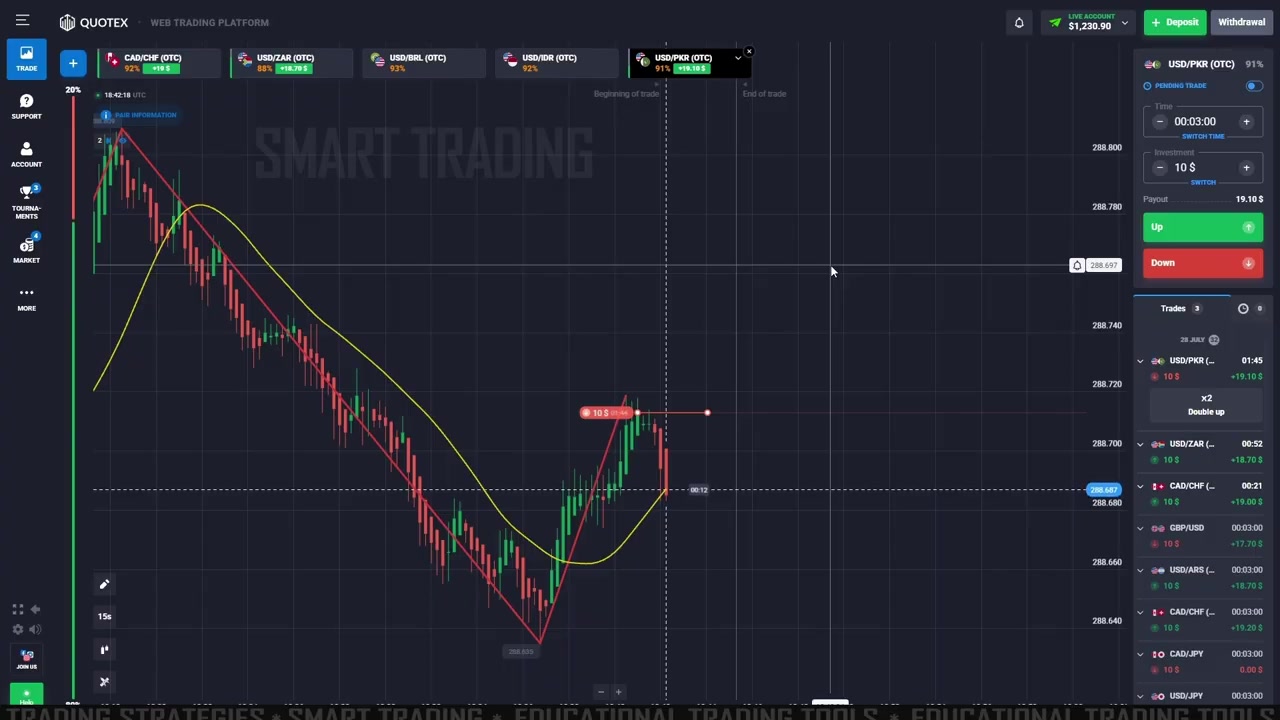
ZigZag repaints its most recent leg by design, and no version of it does otherwise. While price keeps extending, the current leg stretches and the newest pivot can move. That is why ZigZag looks flawless on a historical chart — every leg you are looking at has already settled. It is survivorship, not accuracy.
This indicator does not pretend to fix that. It makes the distinction visible and controllable instead: the Confirm Bars input holds the alert back until a leg has survived a set number of closed bars, so what fires is a swing that has been tested rather than one still forming. Set it to zero and you get the flattering version; leave it at the default and you get the honest one.
The TMA carries a milder form of the same trait. Double smoothing means it describes candles that have already closed, so on very fast charts it can keep sloping for several bars after price has turned.
Best Use
- Timeframes: works on any, but the read is cleanest where a leg spans a dozen or more candles. Very fast charts need Confirm Bars raised.
- Markets: forex majors, metals, indices and crypto — anything with genuine swing structure. It struggles in tight ranges, where legs form and dissolve.
- Pairs well with: a payout check. On fixed-time platforms, a 90% payout needs a 52.6% win rate just to break even, and 75% needs 57.1% — so pair selection changes your maths before any signal appears.
How to Install on MT4 / MT5
- Download the package after checkout and unzip it.
- In MetaTrader open File → Open Data Folder.
- Copy the
.ex4intoMQL4\Indicators(or the.ex5intoMQL5\Indicators). - Restart MetaTrader, then drag the indicator onto a chart from the Navigator panel.
- Set your timeframe, adjust the inputs above, and switch on the alert types you want.
See It Traded Live
A full session using this exact two-line read on 15-second candles with 3-minute expiries, across major and OTC pairs — including a trade left on screen going the wrong way:
The full walkthrough, with the entry rules and payout maths written out, is in the Quotex ZigZag + TMA strategy guide.
This content is for educational purposes only and is not financial advice. Trading involves substantial risk; you can lose some or all of your capital. No result is guaranteed and past performance does not indicate future results.