Why Most Quotex Traders Struggle to Stay Consistent
Consistency in trading comes down to one thing: having a reliable signal source that tells you exactly when to move — and doing the same thing every single session. Without that, most traders end up guessing, overtrading, and giving back whatever gains they made.
The XProfit indicator, running inside MetaTrader 4, solves that problem. It scans price action, identifies high-probability entry points, and fires a real-time alert telling you the pair, direction, and timing. You then take that signal straight to Quotex and execute. No guessing. No second-guessing the chart. Just a clear, structured process every time.
In this guide, we break down how the full XProfit-to-Quotex workflow operates, which pairs to focus on, and what a real session looks like — including a complete breakdown of 25 trades logged on January 9th.
XProfit does the analysis inside MT4. Quotex is where you execute. The two platforms working together gives you the analytical depth of a professional charting tool with the fast execution speed of a modern trading platform.
How the XProfit MT4 Indicator Works
The XProfit indicator is installed directly inside MetaTrader 4. Once active on a chart, it continuously monitors price structure, trend direction, and momentum across your chosen pairs. When conditions align for a strong entry, it fires an on-screen alert — including a pop-up notification and an audible sound — so you never miss a signal even when watching multiple pairs.
The signal tells you two key things: the currency pair and the direction (buy or sell). That information is all you need to switch to Quotex, select the same pair, choose your expiry, and place the trade.
XProfit Signal At a Glance
The XProfit to Quotex Trading Workflow
This is the exact process used during live sessions. Follow each step in order — don't skip or rush ahead:
-
01Open MetaTrader 4 With XProfit Active
Load XProfit on your MT4 charts for the pairs you want to trade — EUR/GBP, USD/JPY, CAD/JPY, EUR/JPY. Make sure alert notifications are enabled so you hear the signal the moment it fires.
-
02Wait for an XProfit Alert
Do not force trades. Let the indicator do its job. When XProfit fires, you'll see the pair and direction on screen. The trend shown on the chart should match the signal direction — if price is clearly against the signal, skip it.
-
03Glance at the Chart for Confirmation
Before executing, take two seconds to look at the MT4 chart. Is the trend clear and in balance? Is price moving smoothly in the signal direction? If yes, proceed. If the chart looks choppy or ranging, wait for the next signal.
-
04Switch to Quotex and Select the Pair
Open Quotex, select the exact currency pair that XProfit flagged, and set your expiry to 1 minute. Keep your trade size consistent every session — e.g. $50 per trade — so your results are comparable over time.
-
05Execute the Trade
Click Up for a buy signal. Click Down for a sell signal. The trade is now live. Move back to MT4 and monitor your active trades on the Quotex side panel while waiting for the next XProfit alert.
-
06Log the Outcome
After each trade closes, note the result. Tracking wins, losses, pairs, and session timing over 50+ trades gives you real data to refine which setups work best for your execution style.
Best Pairs to Trade With XProfit on Quotex
The XProfit indicator works across all major and cross currency pairs available in MT4. For Quotex trading specifically, these four pairs have shown the cleanest signal behavior:
| Pair | Signal Type | Best Session | Difficulty |
|---|---|---|---|
| EUR/GBP | Buy & Sell | London Open | Beginner |
| CAD/JPY | Buy & Sell | London & NY | Beginner |
| USD/JPY | Buy | Asian & London | Beginner |
| EUR/JPY | Buy & Sell | London Overlap | Intermediate |
EUR/GBP tends to move with deliberate, clean momentum which makes it ideal for 1-minute expiry trades. CAD/JPY is highly responsive to momentum shifts — XProfit captures both buy and sell turns on this pair effectively. EUR/JPY requires slightly more patience as it can have wider candles, so confirm the trend before entering.
January 9th Session Breakdown — 25 Trades
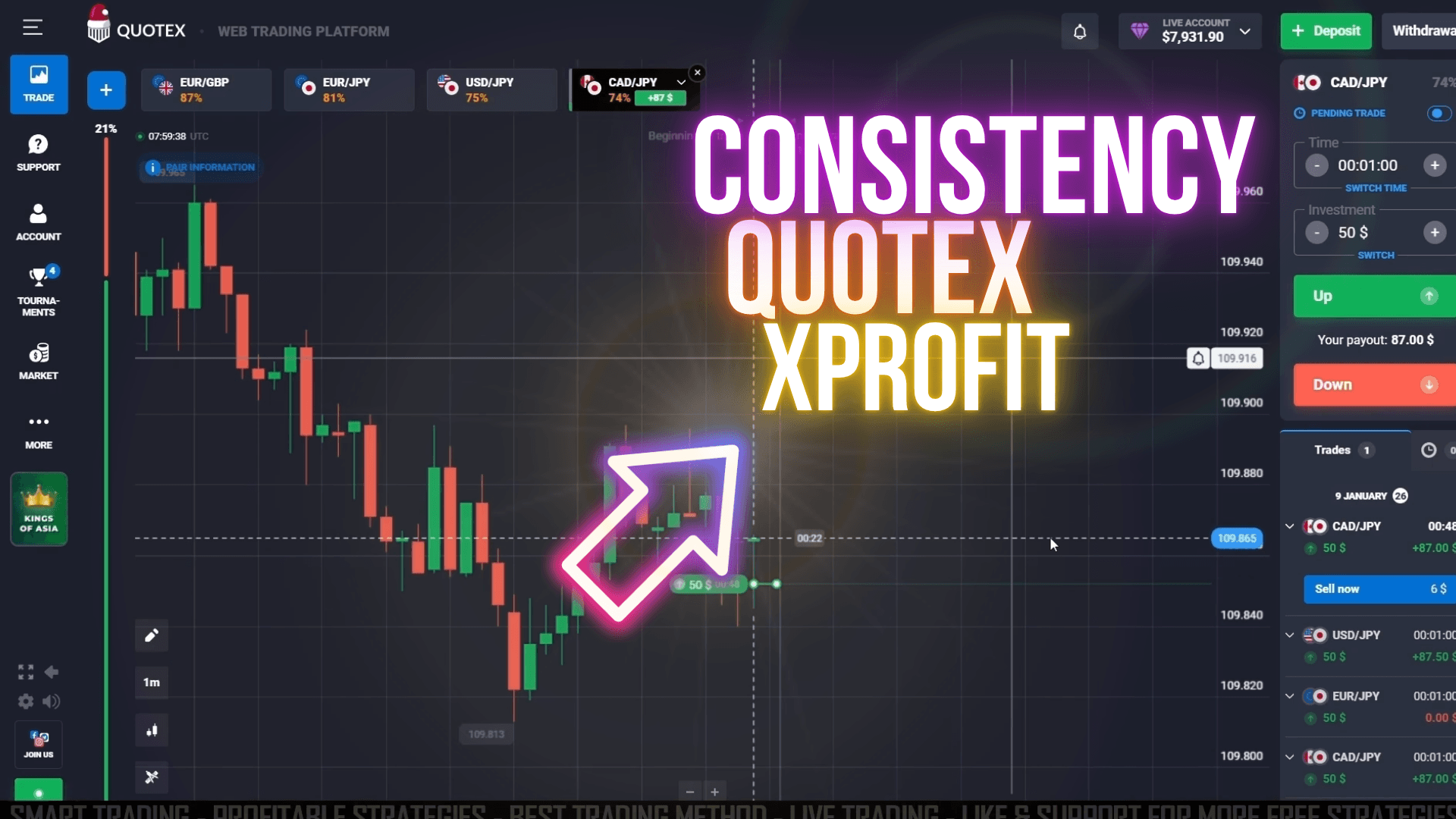
Here is a detailed breakdown of the January 9th live session running XProfit signals on Quotex. Each trade used a $50 stake with a 1-minute expiry. The account ended the session at $79,819.00.
| Pair | Direction | Stake | Result | Payout |
|---|---|---|---|---|
| EUR/GBP | Buy (Up) | $50 | Win | +$93.50 |
| EUR/GBP | Sell (Down) | $50 | Win | +$93.50 |
| CAD/JPY | Sell (Down) | $50 | Win | +$87.00 |
| CAD/JPY | Buy (Up) | $50 | Win | +$87.00 |
| USD/JPY | Buy (Up) | $50 | Win | +$87.50 |
| EUR/JPY | Buy (Up) | $50 | Loss | $0.00 |
During this session, XProfit also signaled multiple simultaneous entries — USD/JPY and EUR/JPY buy signals appeared at the same time while CAD/JPY was still live. This is intentional: when the market is moving with momentum, the indicator stacks opportunities across multiple pairs at once.
The EUR/JPY trade closed at zero — a loss. That is a normal part of any trading session. No strategy produces a win on every single trade. The important number is the overall session balance, which moved higher across 25 logged trades.
A loss is part of the process. What matters is your win rate across a large sample, not whether any individual trade closed green. In this session, one loss out of the tracked results did not stop the account from growing. Fixed position sizing is what keeps a single loss from becoming a session-ending event.
Trading Multiple Pairs at the Same Time
One of the biggest advantages of the XProfit workflow is the ability to manage several trades simultaneously. When the market is trending cleanly, XProfit will fire alerts across multiple pairs within minutes of each other. Rather than ignoring those additional signals, you can open them in parallel on Quotex.
The right panel inside Quotex shows all your live trades at once — pair, direction, time remaining, and current status. During the January 9th session, USD/JPY and EUR/JPY were both live at the same time while CAD/JPY completed its run. That stacking of opportunities is how the account balance moved consistently upward through the session.
Running 2 to 3 trades at the same time is manageable. More than that and you lose track of which signal belongs to which trade, and risk doubling down on correlated pairs that all lose if a news event hits. Keep simultaneous trades to a maximum of 3, and never exceed your total session risk limit regardless of how many signals fire.
Mistakes That Hurt Results With This Strategy
- Trading against a clear opposing trend. If the MT4 chart shows price moving strongly in the opposite direction of the XProfit signal, skip it. The indicator is flagging momentum, and you need the chart to agree.
- Changing your stake between trades. Fixed position sizing is the foundation of consistent results. Increasing your stake after a loss to "recover" will magnify losses faster than any strategy can compensate for.
- Missing the signal and still entering. If you see an XProfit alert pop up and 60 to 90 seconds have already passed, do not enter. The signal has expired. Wait for the next fresh alert instead of chasing stale data.
- Trading through major news events. XProfit reads technical price action. It cannot predict how a surprise CPI print or Fed decision will spike the market. Check an economic calendar before each session and avoid the 15 minutes around any high-impact news release.
- Skipping the trend check. Two seconds looking at the MT4 chart before you open Quotex is not wasted time. That quick confirmation step filters out the lowest-quality signals before your money is at risk.
Get the XProfit Indicator + Full Strategy Pack
XProfit is part of the UltimateFXTools lifetime package — 100+ MT4/MT5 indicators, strategies, and signal tools, all in one download. One payment, no subscription.
Frequently Asked Questions
XProfit runs inside MetaTrader 4 and generates alerts there. You then take those signals and execute manually on Quotex. The two platforms are used side by side — MT4 for analysis, Quotex for execution.
The 1-minute expiry is the most effective match for XProfit's signal timing. It captures the immediate momentum the indicator detects without giving the market too much time to reverse. Some traders use 2-minute expiries on EUR/JPY due to its wider price swings.
Yes, and the strategy actively encourages it when multiple strong signals appear within a short window. Keep simultaneous trades to 2 or 3 maximum to maintain control over your session risk and execution focus.
Use a fixed, consistent stake amount every trade — the session breakdown here used $50 per trade. The specific amount matters less than keeping it constant. Fixed sizing lets you track true strategy performance without position size distorting your results.
After purchase, you receive the XProfit .ex4 or .mq4 file. Copy it into the MT4 Indicators folder (File > Open Data Folder > MQL4 > Indicators), restart MT4, then drag it onto your chart from the Navigator panel. Full installation instructions are included with the download.
Yes. The workflow is straightforward: wait for XProfit to alert, check the chart trend, open Quotex, execute. Practice on a demo account for at least two weeks before using real funds to get comfortable with the speed of execution and signal timing.
Risk Disclaimer: Trading involves significant risk and is not suitable for all investors. Past performance does not guarantee future results. Only trade with money you can afford to lose.