Signals That Come to You, Not the Other Way Around
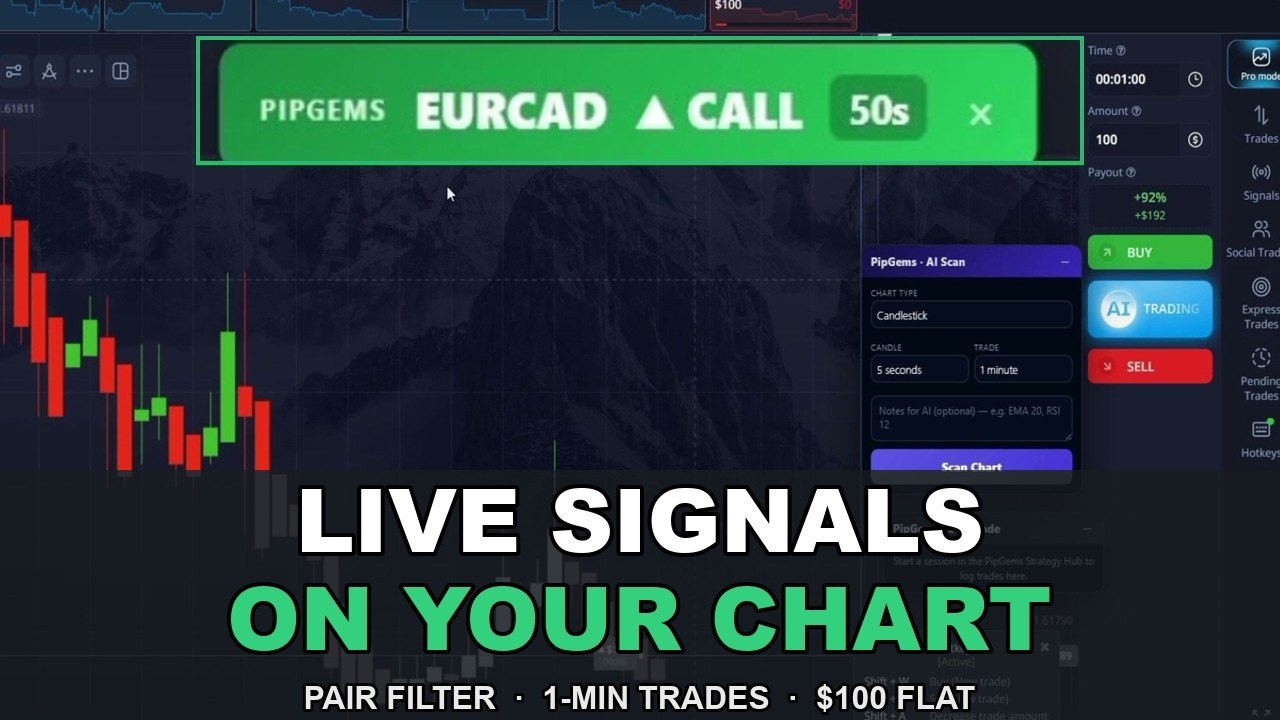
Most signal trading has a workflow problem: the signal lives in one place — a Telegram group, an app, a separate tab — and your broker lives in another. By the time you have alt-tabbed, found the pair and set the expiry, the entry window is gone. The PipGems Signal Companion is a browser extension that removes that gap: it sits on top of Pocket Option and pushes the signal onto the chart itself — a CALL/PUT banner with the pair, the direction and a countdown, plus a notification sound and a voice announcement so a signal cannot slip past unnoticed.
This session runs it live, start to finish: 5-second candles, 1-minute trades, and a flat $100 on every entry — including the trades that lose.
The Setup
- Platform: Pocket Option (fixed-time trades)
- Chart: candlesticks, 5-second timeframe
- Trade duration: 1 minute
- Tool: PipGems Signal Companion (browser extension) + the Live Signals page on pipgems.com
- Alerts: on-screen banner + notification sound + voice announcements
- Stake: flat $100 per entry — never changed mid-session
- Pairs traded this session: EUR/CAD, GBP/CAD, EUR/JPY, EUR/GBP at 79–92% payouts
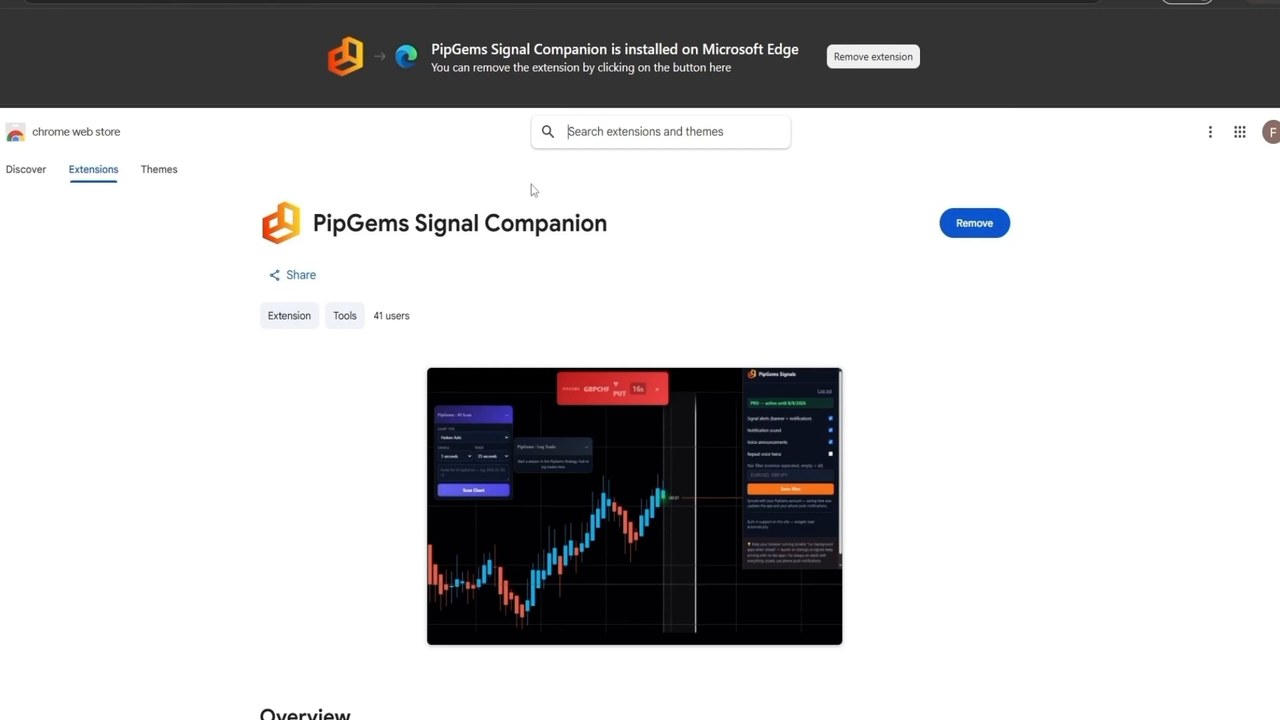
Install is one click from the web store link on the pipgems.com Live Signals page; it runs on Chrome and Edge. Once it is on the browser, the extension logs into your PipGems account and the settings panel appears directly on the Pocket Option tab.
The Pair Filter — the Part Most People Skip
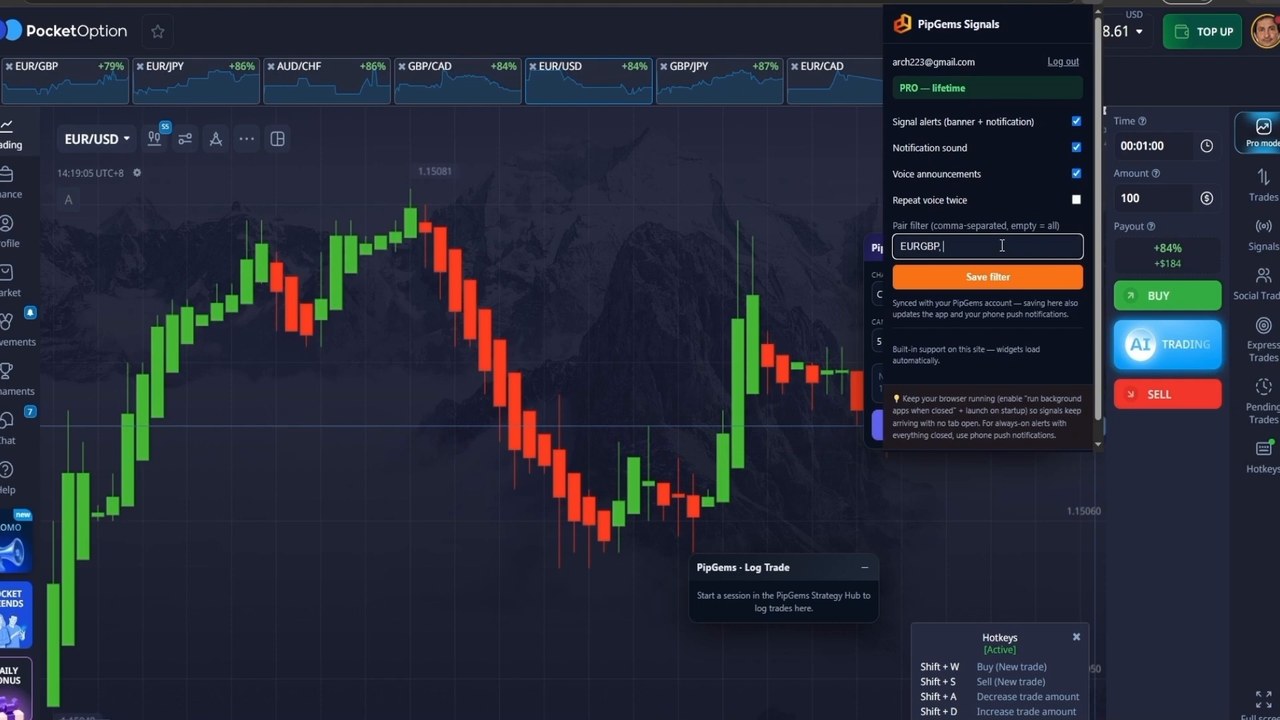
The companion will happily alert on every pair it tracks. The session deliberately does not allow that. Before the first trade, the pair filter is set to a shortlist, with one rule deciding what makes the list: only pairs paying 70% or better. Two things follow from that:
- You know what every entry pays before you take it. No discovering a 55% payout after the trade is already open.
- The filter is the discipline. If every pair can ping you, you end up taking whatever shows up. A shortlist turns the session from reacting into executing a plan.
The filter syncs with the PipGems account, so the same shortlist drives the app and phone push notifications — close the browser and the signals still reach you.
The Signals, Live
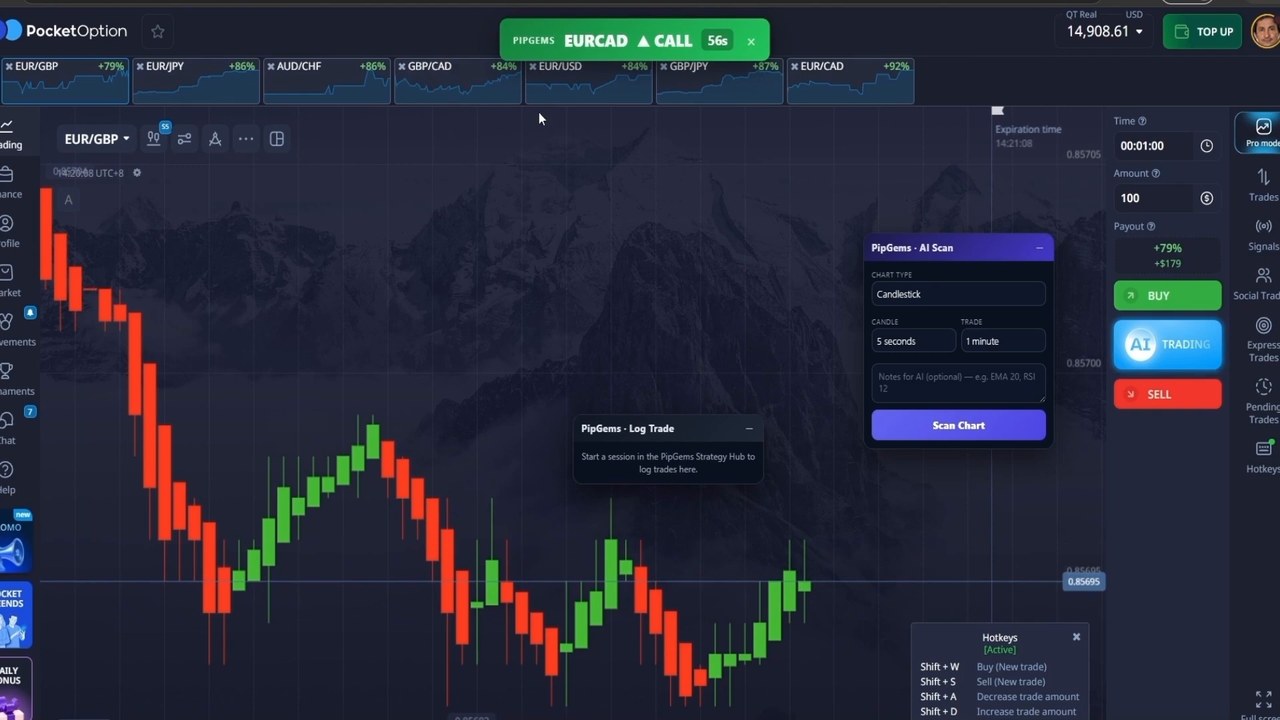
A signal arrives as a banner at the top of the chart — pair, direction, and a countdown showing how long the entry stays valid. The first two are EUR/CAD calls, both taken at the open of the next candle with the full $100. The voice announcement matters more than it sounds like it should: eyes can stay on the candles instead of watching for a popup.
The session's rule for every one of these: the signal gives the pair, the direction and the timing — but the chart still has to agree. A banner firing against an obvious one-way move gets skipped, not traded. The companion is treated as a spotter, not an autopilot.
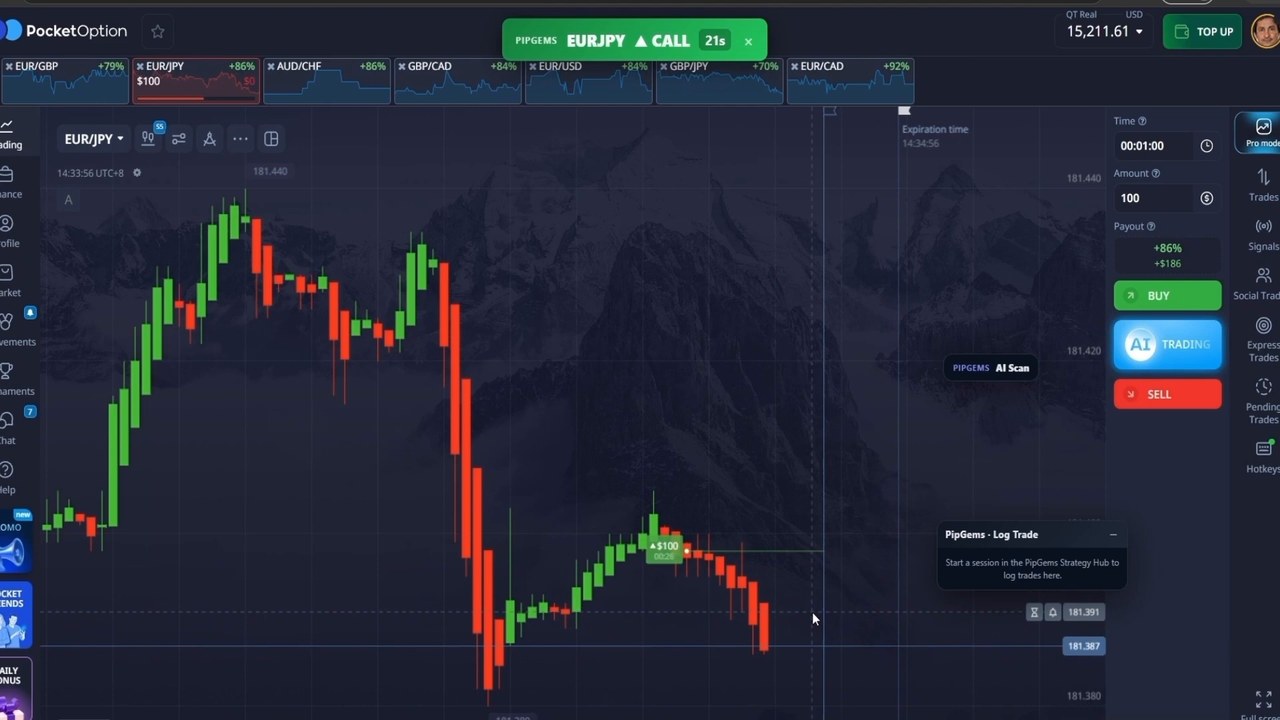
Not everything cooperates. GBP/CAD delivers the first red trade of the session, and the pair strip in the frame above shows a red $100 on EUR/JPY too — stacked puts on EUR/JPY recover part of it, and an EUR/GBP put lands green. The stake never moves off $100 at any point: no doubling after a loss, no pressing after a win.
The Honest Tally: 7 Green, 3 Red
The session closes at 7 winning trades and 3 losing trades — a 70% hit rate on ten entries. At the 79–92% payouts on the filtered pairs, that is a solidly profitable session at a flat stake. Two honest caveats belong next to that number:
- Ten trades is a small sample. At an ~84% average payout, break-even sits near a 54–55% win rate — 7/10 clears it comfortably, but a single session proves a workflow, not an edge. The Strategy Hub log over many sessions is what actually measures the win rate.
- The Live Signals page scores the signal, not your ticket. Its green/red log tracks each signal against its own timing. Your result depends on when you entered and when your trade expired — enter late on a 1-minute expiry and your outcome can differ from the log's. The video is explicit about this distinction, which most signal services blur.
Watch the Full Session
Every signal, every entry, the pair filter setup, and the phone push sync — including all three red trades:
Honest Weaknesses
- The browser has to stay running. Signals arrive through the extension, so a closed browser means missed banners — the workaround is enabling background apps or leaning on the phone push notifications, but it is a real operational detail.
- 1-minute entries punish hesitation. The banner's countdown exists because a signal taken 30 seconds late is a different trade. If you cannot act promptly, longer expiries suit the tool better.
- Signal-level scoring ≠ your P&L. Treat the Live Signals log as a quality gauge for the feed, and your own trade log as the truth about your results.
- OTC vs live pairs behave differently. This session runs on live-market pairs; the same feed on weekend OTC pricing is a different environment — do not assume the hit rate transfers.
Risk Management Rules
- Flat stake, decided before the session — the video's $100 never moves. Never raise the stake to recover a loss.
- Filter to pairs paying 70%+ so the break-even maths is known in advance.
- The chart must agree with the banner; skip signals that fire against an obvious trend.
- Cap the session — a fixed number of trades or a daily loss limit, honoured without exception.
- Run the whole workflow on a demo account first until acting on a banner within seconds feels routine.
The Verdict
A strong 4.5 out of 5. What earns it: the workflow problem it solves is real — signals rendered on the chart with sound and voice remove the alt-tab delay that quietly ruins short-expiry signal trading; the pair filter plus the 70% payout rule impose discipline most signal setups leave to willpower; the session is shown in full with a flat stake and all three losses on screen; and the tool is honest about the difference between scoring its signals and scoring your trades — a distinction most services prefer to blur.
The missing half star is the operational dependency: it lives in your browser, entries are time-sensitive, and your results will track how promptly and selectively you act on the banners — not just what the feed sends. As a workflow for trading 1-minute signals on Pocket Option, it is the cleanest setup we have run; as with any session, ten trades is a story, and the log over weeks is the evidence.
#PocketOption #LiveSignals #PipGems #SignalCompanion #1MinuteTrades #BinaryOptions #TradingSignals #BrowserExtension #FixedTimeTrades
Frequently Asked Questions
What is the PipGems Signal Companion?
A browser extension for Chrome and Edge that displays PipGems trading signals directly on the broker chart as CALL/PUT banners with a countdown, notification sound and voice announcements, so signals can be acted on without switching tabs.
What settings were used in this Pocket Option session?
Candlestick chart on 5-second candles, 1-minute trade duration, and a flat $100 stake on every entry. The pair filter was restricted to pairs paying 70% or better, and the session traded EUR/CAD, GBP/CAD, EUR/JPY and EUR/GBP.
What was the result of the live session?
7 winning trades and 3 losing trades from ten entries at 79-92% payouts with a flat stake. Ten trades is a small sample; the session demonstrates the workflow rather than proving a long-term win rate.
Does the Live Signals page score my trades?
No. The Live Signals page scores each signal against its own timing. Your personal result depends on when you entered and when your trade expired, so your ticket can differ from the signal log - keep your own trade log.
This content is for educational purposes only and is not financial advice. Trading involves substantial risk; you can lose some or all of your capital. No result is guaranteed and past performance does not indicate future results. Trade only what you can afford to lose.
New to the Signal Companion? Start with the extension overview, or see it running on non-OTC pairs from a phone. Prefer trading without any tool? The support and resistance method needs nothing but the chart.