The One Thing Most Trading Robots Cannot Do
Nearly every “automation” sold to binary and forex traders right now is a bridge. The strategy lives on the vendor’s server; the file on your computer only receives instructions and fills orders. It is a convenient design for the seller and a bad one for you, because it has a flaw no marketing copy can fix: a bridge cannot be backtested. The Strategy Tester has no cloud to ask, so you can never check a single claim against your own broker’s history before you fund the account.
The UltimateFXTools Signal EA carries its strategy inside the file. It drives one of our seven alert indicators directly, which means it trades exactly the arrows already drawn on your chart — and it runs in the MetaTrader 5 Strategy Tester on your data, your broker and your spread. Everything published on this page is a number you can reproduce yourself in about two minutes.
The Backtest, Including the Parts That Look Bad
This is the EA on its shipped default settings — not a tuned configuration we found afterwards. The only input changed was the arming switch that the EA requires on every run.
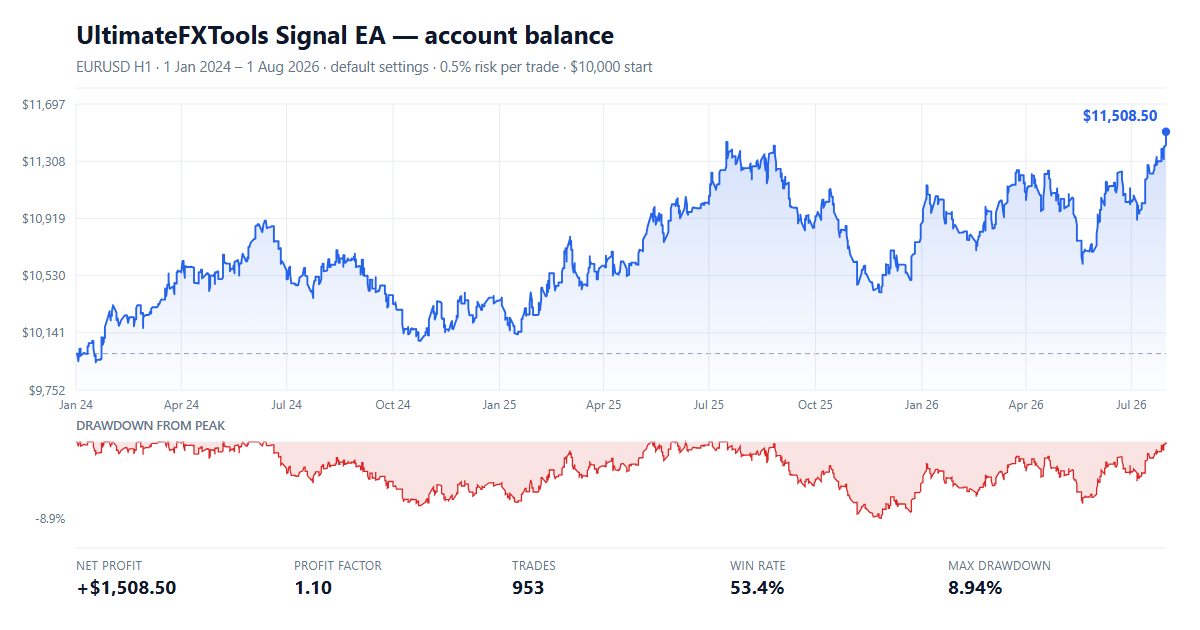
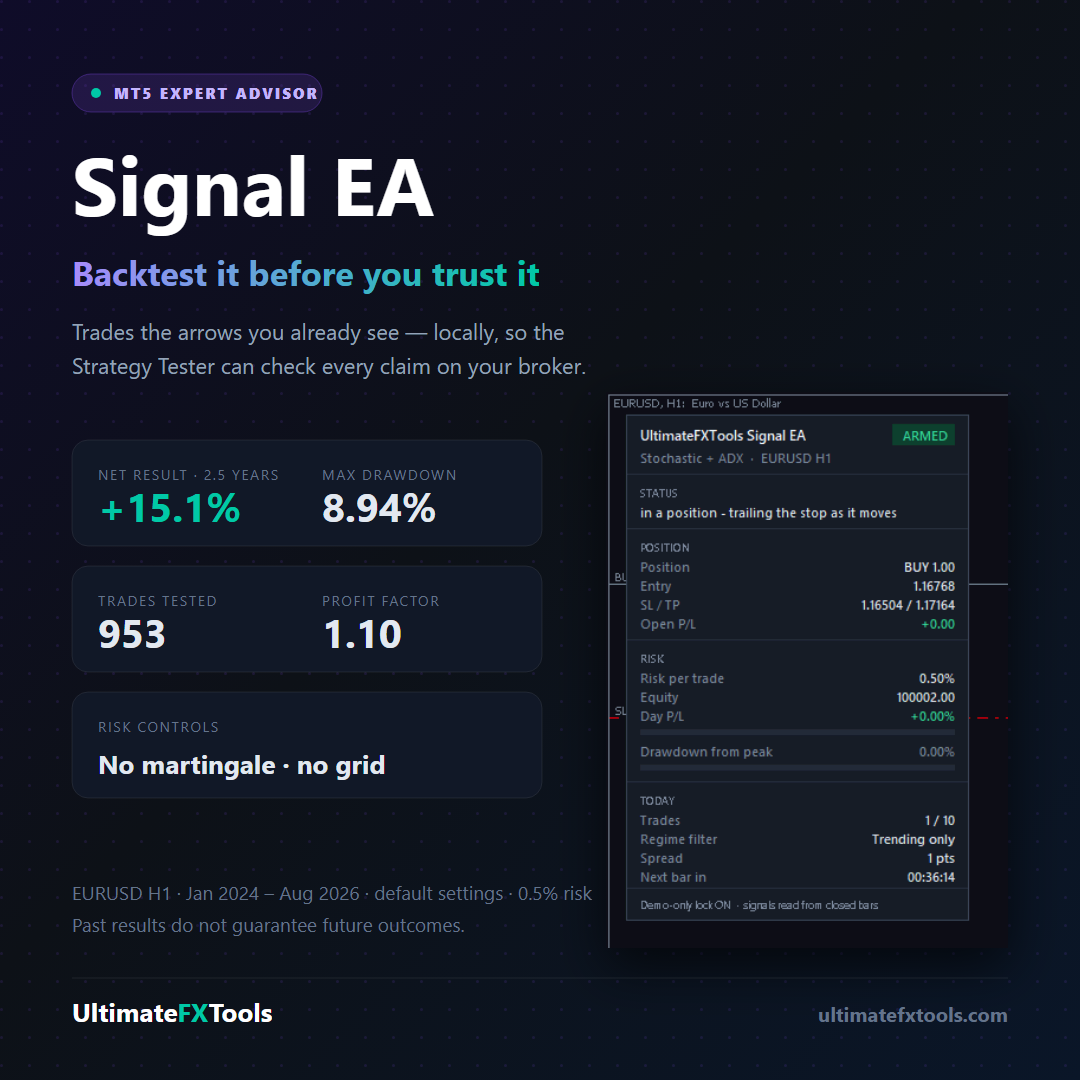
- Instrument: EURUSD, H1
- Period: 1 January 2024 – 1 August 2026 (2.5 years)
- Starting balance: $10,000, risking 0.5% of balance per trade
- Net result: +$1,508.50, or +15.1% over the whole period
- Profit factor: 1.10
- Trades: 953, of which 53.4% were winners
- Largest drawdown: 8.94% of balance
- Worst losing streak: 8 trades in a row
Read that carefully, because we would rather you understood it than got excited by it. 15% over two and a half years is a modest result, and the average winning trade is very close in size to the average losing trade. What the number represents is a small, repeatable edge applied with strict risk control — not a way to double an account.
Month by month, losses included
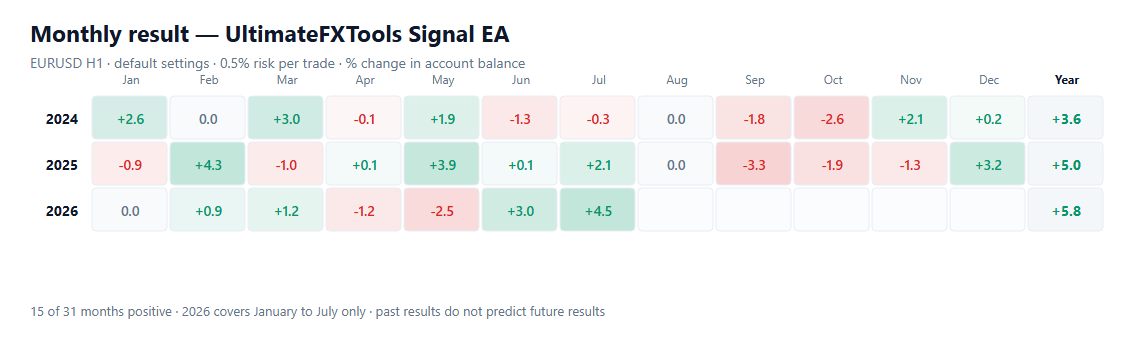
Fifteen of the thirty-one months tested finished positive. That is not a typo and we have not hidden the red squares: this is what a small edge actually looks like month to month. Any seller showing you twelve consecutive green months is showing you a selected sample.
Reproduce It Yourself — This Is the Point
You do not have to believe any of the above. The whole reason the strategy lives inside the file is so that you can check it:
- Install the library with the one-click installer, or copy the EA into MQL5 → Experts (MT5) or MQL4 → Experts (MT4), and the seven alert indicators into the matching Indicators folder.
- In MetaTrader 5 open View → Strategy Tester. Choose the Signal EA, EURUSD, H1, and the date range above.
- Set Armed to true — the EA refuses to trade until you do — and start the test.
Your numbers will not match ours to the cent, and they are not supposed to. Your broker’s spread, its price history and its trading hours are all slightly different from the demo server we tested on, and that difference is exactly the thing a backtest on your data is meant to reveal.
What It Actually Trades
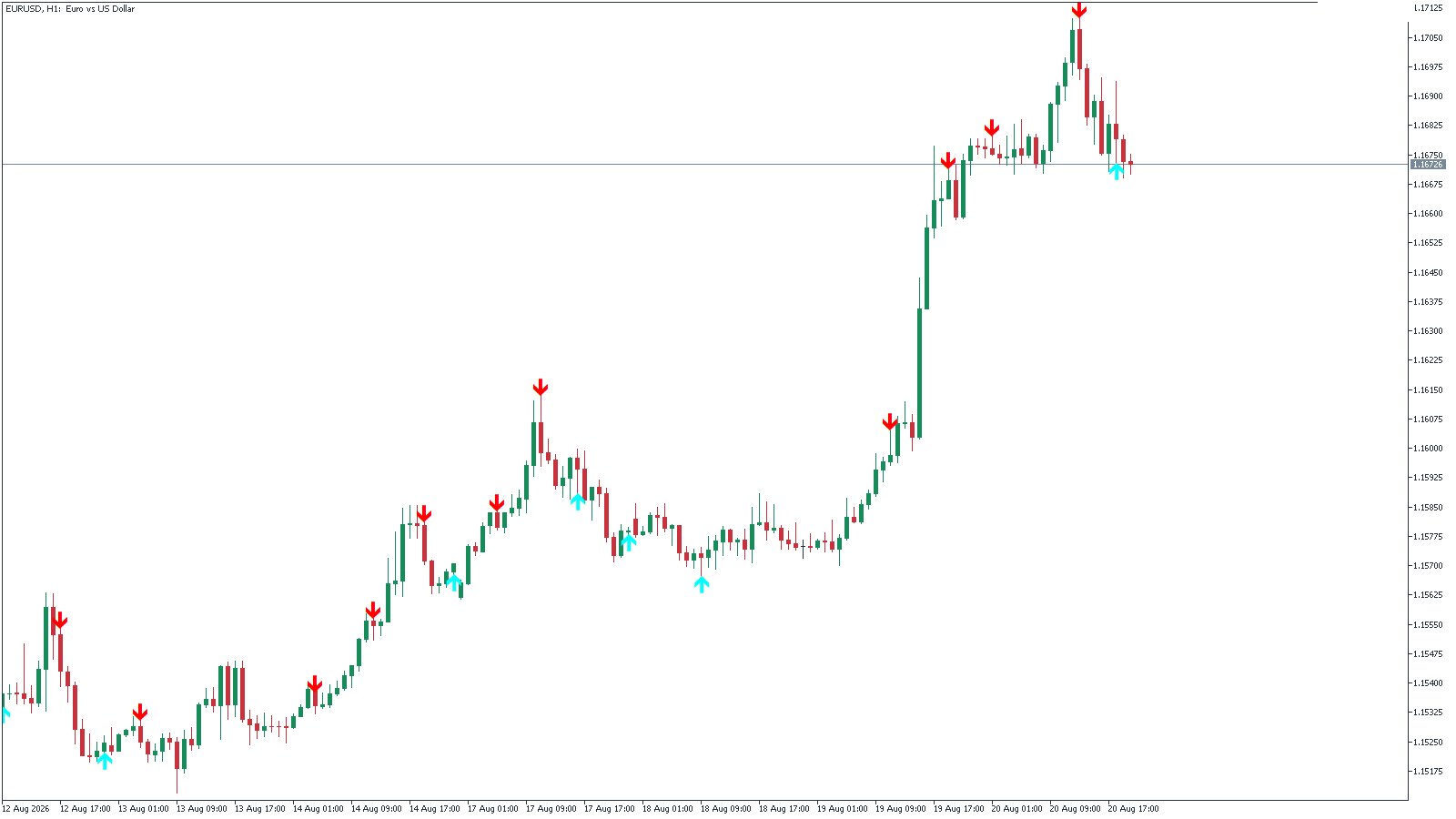
The EA does not invent signals. You pick which of the seven alert indicators drives it, and it trades that indicator’s arrows:
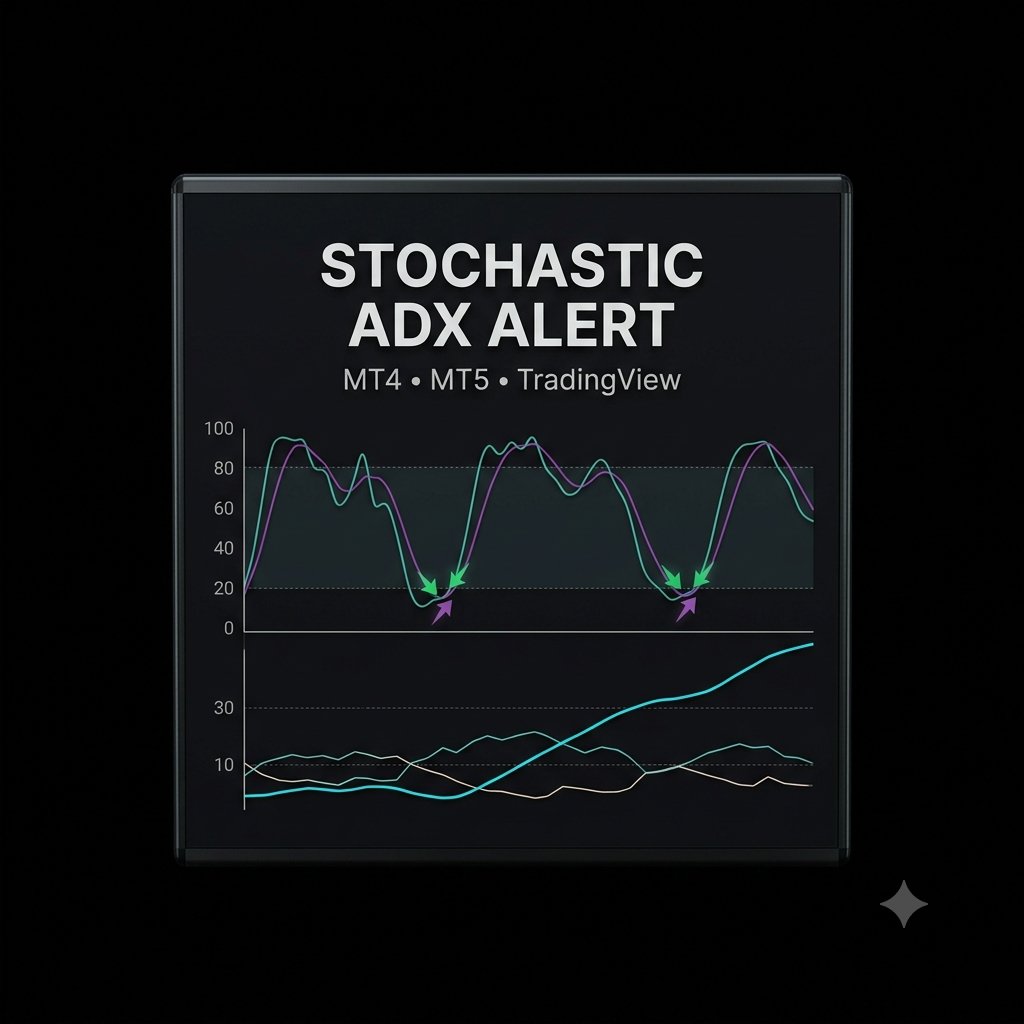
- Stochastic + ADX Alert (the shipped default)
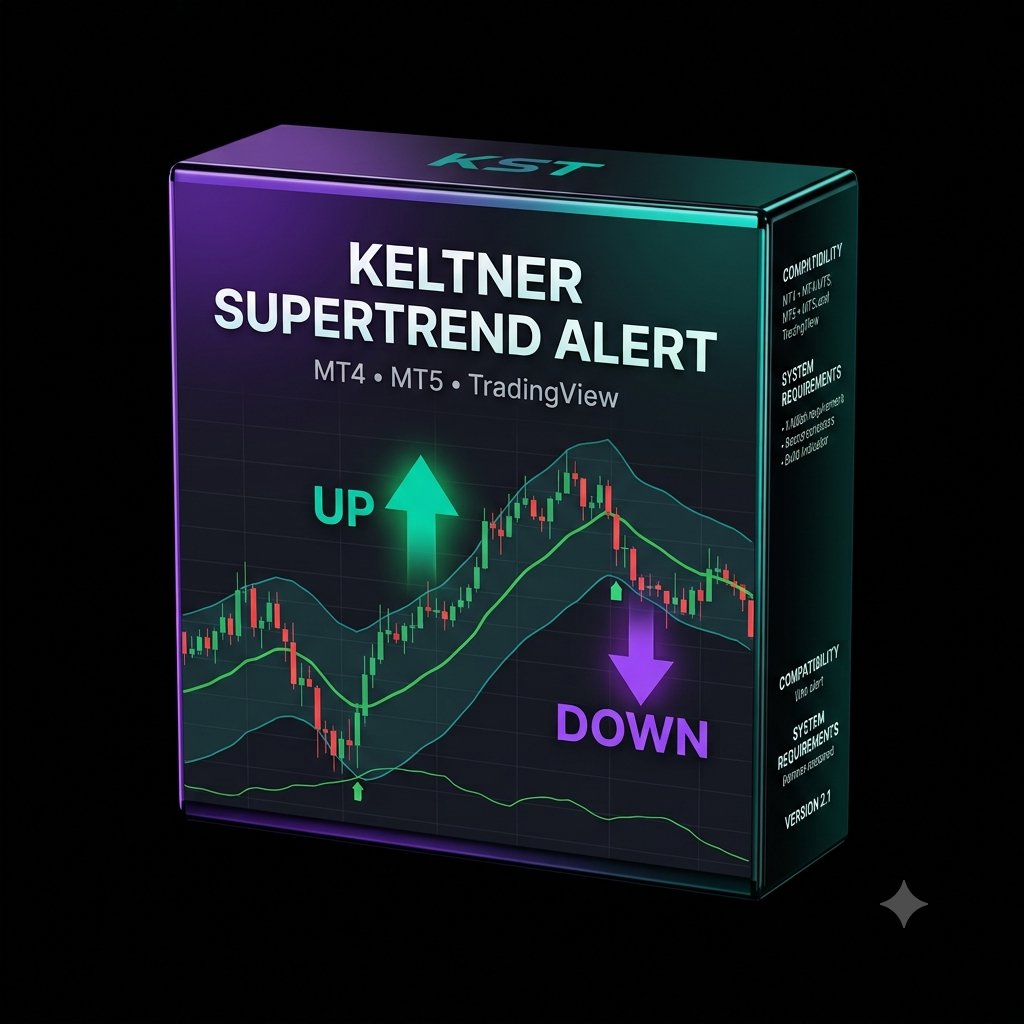
- Keltner × SuperTrend Alert
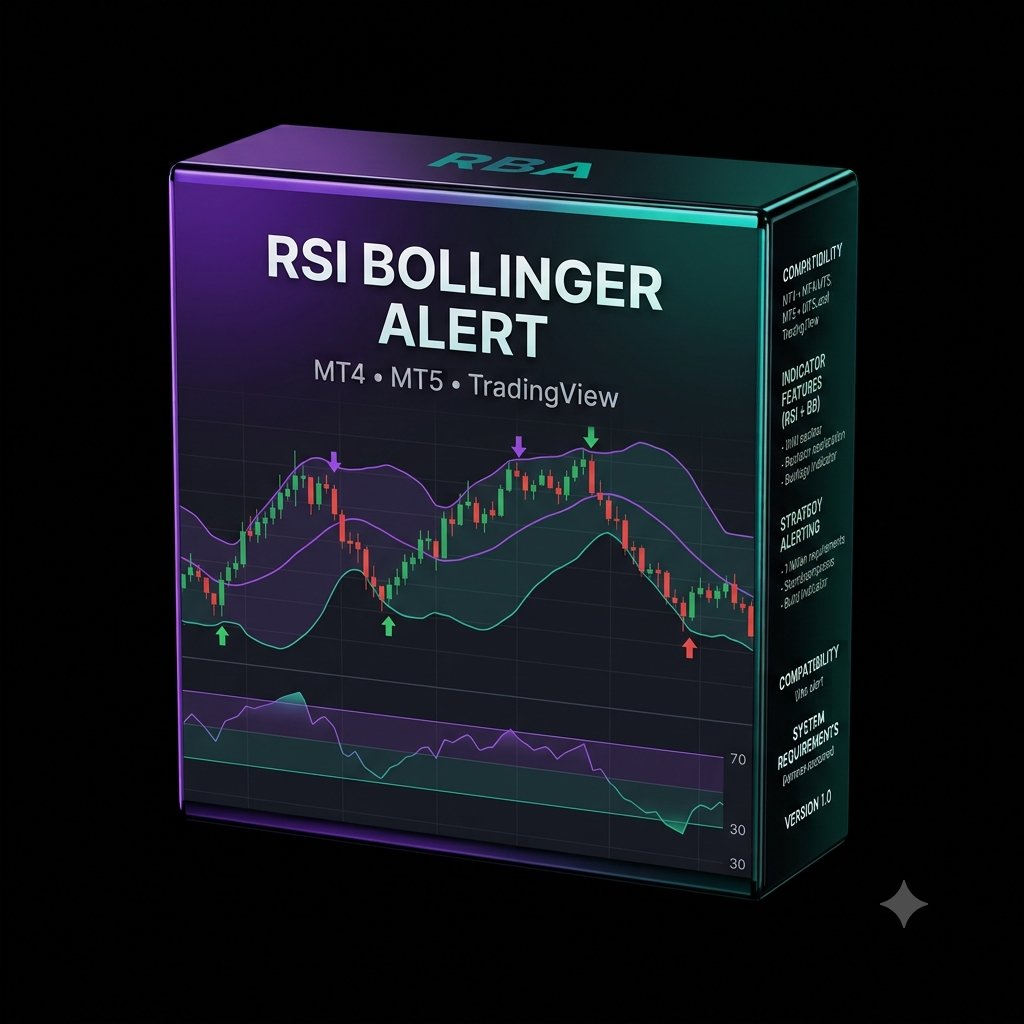
- RSI + Bollinger Alert
- EMA + MACD Alert
- CCI + EMA Alert
- Heikin Ashi + EMA Alert
- ROC + Parabolic SAR Alert
Signals are read from closed bars only. An arrow that printed an hour ago is still in the same place tomorrow, which is what makes the tester result reproducible instead of flattering. Acting inside an unfinished bar would trade a signal that can still disappear — the whole repainting problem.
Why the default is Stochastic + ADX with a trend filter
We tested all seven engines over the same 2.5 years before choosing. Six of them lost money on default settings. That is an uncomfortable thing to publish on a sales page, and it is also the most useful thing on it: the default you receive is the one configuration that survived the test, rather than whichever one we happened to build first.
The single biggest factor was not the indicator at all — it was the ADX regime filter. Restricting entries to trending conditions roughly quadrupled the result and cut the largest drawdown almost in half. That filter is on by default.
The Risk Controls
An EA that can place orders while you sleep needs limits that do not depend on your judgement being available. These are the ones it ships with, and every one of them stops trading rather than trying to trade the loss back:
- Risk-based position sizing. The lot comes from the stop distance, so a loss costs the percentage you chose. Default 0.5%, with a hard maximum lot you set yourself.
- A stop on every trade. ATR-based stop and target, with an optional trailing stop once a trade is in profit.
- Daily loss stop. Past a set percentage down on the day, no new entries until tomorrow. Default 3%.
- Maximum drawdown halt. Past a set drawdown from the account’s peak, it stops for good and waits for you to look at it. Default 25%.
- Trade limits. A maximum number of entries per day, and one position at a time per symbol.
- Demo-only lock. It ships refusing to trade a live account. You have to switch that off deliberately.
- Arming switch. Even then it will not trade until Armed is set to true for that run.
There is no martingale, no grid and no averaging down anywhere in the code. Those techniques produce beautiful equity curves until the day they remove the account. Limiting your daily trades and sizing every position sensibly will do more for your results than any indicator setting on this page.
The Dashboard
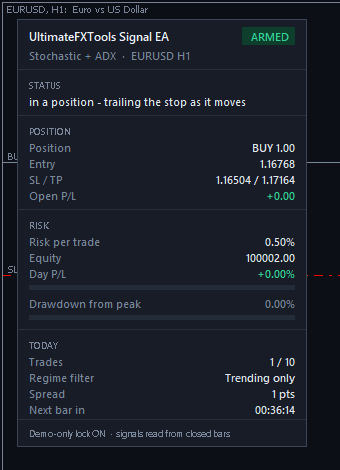
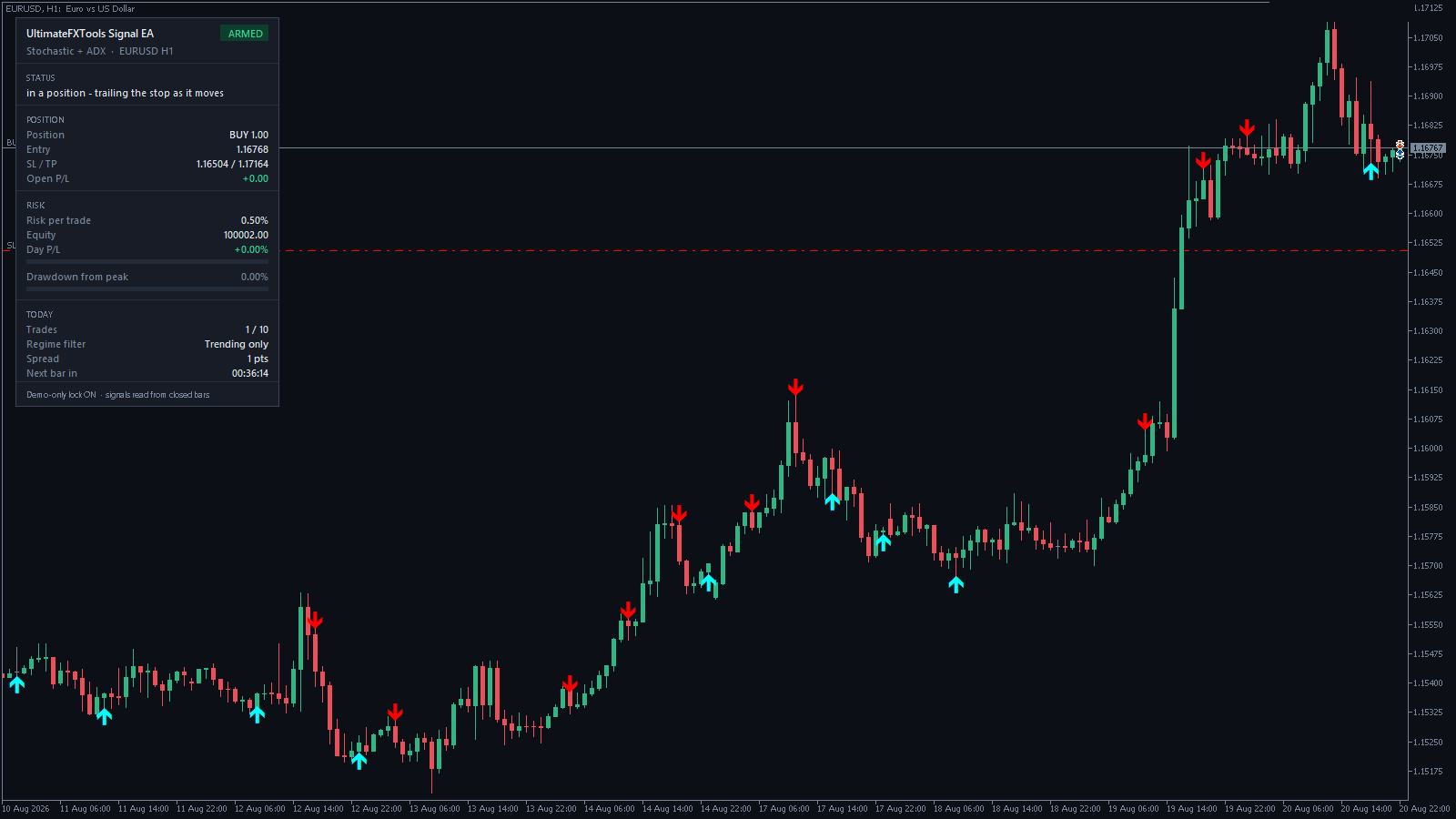
The panel on the chart tells you what the EA is doing and, more importantly, how close your account is to each protective limit. The two progress bars fill toward the daily loss stop and the maximum drawdown halt, turning amber and then red as they approach. You can see at a glance whether the robot is armed, in a position, paused for the day, or halted.
Honest Limitations
- The edge is small. A profit factor of 1.10 means that for every $1.00 lost, $1.10 was made. There is not much room in that for a wide spread or a bad broker.
- One instrument, one timeframe, one period. Our published test is EURUSD H1 over 2.5 years. Other pairs and timeframes are untested, and we will not claim results we have not measured.
- Six of the seven engines lost money on defaults. Changing the engine because you prefer a different indicator is very likely to make the result worse.
- A backtest is not the future. It is evidence about a period that has already happened. Market behaviour changes, and there is no setting that protects against that.
- The spread decides whether it makes money. We ran the MT4 build over the same EURUSD H1 window (January 2024 to August 2026, “Every tick”, defaults). With a 1.0-pip spread it finished +5.6% (profit factor 1.04, 11.6% maximum drawdown, 963 trades). With a 2.0-pip spread the same trades finished −15.5% (profit factor 0.90, 22.9% drawdown). One extra pip turns it from a small gain into a loss, so use a low-spread (raw or ECN) account, and check your own broker’s spread in the Strategy Tester before anything else.
- The MT4 build tests weaker than MT5. MetaTrader 4 uses a completely different order system, so the MT4 version is a hand port rather than a recompile. It takes the same signals (963 trades in MT4 against 953 in MT5 over the same window) and carries the same risk controls, but its 2.5-year result is smaller: +5.6% at a 1.0-pip spread, against +15.1% in MT5. MT4’s test also had thinner price data (35.8% modelling quality), so part of the gap may be the data rather than the platform. If you can choose, MT5 is the better-proven build.
- Your computer or VPS has to stay on. The EA runs in the terminal. If the terminal is closed, nothing is managed.
Also in the Library
Trading gold? The Gold Session Breakout EA is built for XAUUSD: one Asian-session breakout a day at most, wide targets so the spread stays a small part of each trade, and its own published backtest, including real-tick tests and the flat weeks.
Frequently Asked Questions
Will it make me money?
We cannot tell you that, and anyone who does is guessing or selling. What we can tell you is exactly what it did on a specific instrument over a specific two and a half years, with the losing months left in, and give you the file so you can run that test yourself before you decide.
Can I run it on a live account?
Technically yes — there is an input to allow it. Please do not do that until you have run it on a demo account for long enough to see a losing streak, because you will get one. Eight losses in a row appeared inside our test period.
Which settings should I change?
Start by changing nothing except the risk percentage, and only downward. The defaults are the configuration that survived testing. If you must experiment, do it in the Strategy Tester, not on an account.
Is there an MT4 version?
Yes — both files are in the download. They are not the same file recompiled: MetaTrader 4 has a different order system, so the MT4 build was written by hand to take the same signals, size positions the same way and enforce the same limits. Over the same 2.5 years on EURUSD H1, the MT4 build finished +5.6% with a 1.0-pip spread and −15.5% with a 2.0-pip spread, against +15.1% for MT5. MT5 is the better-proven build; if you use MT4, use a low-spread account and run it on demo first.
Can I run it on gold (XAUUSD)?
It will run, but our tests on gold lost money, so we do not recommend it. For gold, use the Gold Session Breakout EA, which was designed and tested for it. The October 2026 update did fix how it sizes gold trades: some brokers report gold’s tick value wrongly, which made earlier builds risk up to ten times the percentage you set. The EA now asks the broker’s own profit calculator for the cost of each stop, and it skips any trade where even the smallest lot would risk more than twice your setting. Re-download from the installer to get the fixed build.
Does it work on other pairs?
It will run on any symbol. Whether it works there is a question the Strategy Tester answers in about a minute, and we would rather you asked it that way than took our word for it.
Is it included in the $39 library?
Yes. The EA and the seven alert indicators it drives all ship inside the lifetime library, together with the rest of the indicator collection — one payment, no subscription.
This content is for educational purposes only and is not financial advice. Trading involves risk. Past results do not guarantee future outcomes. Always practice responsible money management, limit your daily trades, and trade only what you can afford to lose.